
Table of contents
Ever feel like forex trading eats up your time and sanity? You’re not alone. A lot of traders hit the wall trying to keep up with charts, signals, and sleepless nights. That’s where automation steps in. In How to Write a Set of Own EA Trading System, we’ll show you how to build a trading bot that runs your strategy 24/5—no hand-holding required.
Think of an EA (Expert Advisor) like a reliable co-pilot: it doesn’t panic, doesn’t guess, just follows the rules you set. “Good trading is about rules, not emotions,” as trading veteran Larry Hite once said. Building your own EA puts you in control—of both the code and the outcome.
This guide is for traders ready to stop chasing setups and start designing systems. If you're tired of second-guessing every move, this is your blueprint. Let’s make your strategy work for you.
An Expert Advisor (EA) in the Forex market is a type of automated trading software that follows a set of coded instructions or algorithms to execute trades on a trader’s behalf. Typically used on MetaTrader platforms (like MT4 or MT5), EAs analyze currency pairs, assess real-time data, and enter or exit positions based on pre-set rules without the need for manual intervention.
EAs are most often built using MQL4 or MQL5 programming languages. They're capable of scanning the market 24/7, applying your custom trading strategy with precision and zero emotional influence.
They are ideal for:
Traders who want to automate routine decisions
Users running complex strategies that require fast execution
Traders interested in testing systems using historical data
The benefits of using EA trading systems are wide-ranging, especially for traders aiming for discipline, speed, and scale. Let’s break it down:
| Benefit | Description | Example Use Case |
|---|---|---|
| Automation | Executes trades based on rules, no manual input | Scalping on volatile news days |
| Emotionless Trading | Removes fear and greed from decisions | Avoiding panic in price drops |
| 24/7 Operation | Trades during all market hours, including off-hours | Asian session strategies |
| Backtesting | Tests strategy performance using historical data | Optimizing MA crossover logic |
| Time-Saving | Frees up user time by running independently | Trading while working a day job |
Plus, EAs are highly efficient—they don’t need sleep, don’t get distracted, and won’t second-guess your rules. If you're looking for speed, consistency, and scalability, an EA gives you a serious edge.
Not every trader will thrive with an EA—but for many, it can be a game-changer. Here’s who might benefit most:
Beginner Traders
If you're just starting out, EAs can help you avoid rookie mistakes. They execute without hesitation and follow strategy rules without second-guessing.
Busy Professionals
Trading full-time isn’t for everyone. If your schedule is packed, EAs can handle the market while you’re living your life—working, parenting, or even sleeping.
Experienced Algorithmic Traders
If you’re into numbers, stats, and creating rule-based systems, EAs let you deploy complex trading models at scale.
Retail Traders Seeking Consistency
Anyone wanting less emotional stress and more repeatable results can benefit from an EA system. Just make sure the strategy fits your goals, risk profile, and trading style.
As long as your expectations are clear and you understand how your EA operates, it can become one of the most powerful tools in your Forex toolkit.
Manual forex trading depends a lot on human decision-making, and honestly, that can get messy. We're talking hesitation, overconfidence, emotional baggage—all of it. These emotional “stains” often lead to inconsistent execution and missed opportunities. Plus, trying to react in real time can be like spot cleaning a flood.
EA systems remove the human emotion factor, but they’re not perfect. You’re now dealing with electrical hazard-style issues: code glitches, outdated strategies, or a system that doesn’t adapt well to shifting market conditions. EA systems can fray if left unchecked.
Here’s a breakdown:
Manual Trading Risks:
Emotional decisions (panic selling or FOMO buying)
Missed trades from fatigue or distractions
Delayed execution during high volatility
Need for constant attention
EA Trading System Risks:
Programming errors or logic flaws
Market condition shifts that the EA doesn’t handle well
Over-optimization (curve-fitting)
Dependency on stable internet and power supply
If you’re not up for professional cleaning (regularly updating, debugging, and optimizing your EA), then manual trading might suit your style more—even with its fraying edges.
Profit potential isn't just about making big trades—it's about how consistently and efficiently you can generate revenue while managing your cost structure. EA systems shine here. They let you automate entries, exits, and even scaling—maximizing your margin while cutting down on operational effort.
Manual traders might argue they can “feel” the market better. That’s fair. But intuition is hard to scale. Without automation, you’ll spend more time watching charts than growing your portfolio.
Here’s how they compare:
| Trading Method | Profitability | Cost Structure | Growth Potential |
|---|---|---|---|
| EA Trading | High | Low | Scalable |
| Manual Trading | Moderate | High | Limited |
Breakdown:
EA Systems:
Low operational costs once set up
Can run multiple strategies simultaneously
Maximizes time efficiency and ROI
Manual Trading:
Heavily time-consuming
Higher chance of burnout
May miss out on market size opportunities due to human delay
Quote:
"In trading, emotion is the enemy. Automation removes it—and that’s where the real edge begins." — Tyson Mayer, Forex Automation Expert
Moving Averages are essential tools in EA development, used to identify and react to trends. They smooth out price action, helping your Expert Advisor ignore noise and act on real momentum.
Simple Moving Average (SMA) gives equal weight to all data points.
Exponential Moving Average (EMA) reacts faster to price changes—great for more responsive EA strategies.
Crossovers between short-term and long-term MAs form powerful signals. For example, when a 10-period EMA crosses above a 50-period EMA, your EA might trigger a long entry.
Tip: Always test different periods to fit the market you're targeting. Scalping EAs often use shorter periods like 5 or 10, while swing systems use 50, 100, or even 200.
“A good Moving Average strategy doesn't chase trends—it lets them come to you.” — Lance Roy, Algo Trader at FXQuant
The MACD indicator is all about identifying momentum shifts and timing entries based on trend strength. It’s built from two EMAs (usually 12 and 26-period) and includes a signal line and histogram.
MACD line crossing the signal line suggests a buy or sell.
Divergence between MACD and price can reveal weakening trends before they reverse.
Histogram height represents momentum strength—larger bars = stronger move.
EAs often use MACD to:
Confirm direction before entering a trade.
Filter out weak or fake price moves.
Exit trades when momentum fades.
The MACD is like a lie detector for trend strength—if it’s flatlining, don’t trust that breakout.
The Relative Strength Index (RSI) is one of the most used entry filters in EA programming. It works by showing when a currency pair is overbought or oversold.
Here’s how EAs typically apply RSI:
Entry Signal Trigger: If RSI > 70, the market may be overbought → your EA prepares a short trade. If RSI < 30, it’s oversold → potential long.
Confirmation: Your EA may wait for RSI to cross back under 70 or above 30 to confirm reversal.
Divergence: RSI diverging from price movement (e.g., price makes a new high, RSI doesn’t) often flags a reversal.
This makes RSI perfect for scalpers and reversal-based EAs.
“The RSI is like your market thermometer—it doesn’t predict, but it tells you when conditions are extreme.” — Rachel Cortez, Quantitative Analyst
Stacking indicators in an EA can boost accuracy—but only when done right. If you use too many that measure the same thing, your EA may get conflicting signals and freeze or misfire.
Here’s how to avoid that:
| Indicator Type | Example | Best Used For |
|---|---|---|
| Trend | EMA, SMA | Directional signals |
| Momentum | MACD | Trade confirmation |
| Oscillator | RSI, Stochastic | Overbought/oversold |
Use RSI for entry, MACD for confirmation, and MA for trend direction
Avoid using both RSI and Stochastic—they do similar jobs
Don’t trigger entries from all indicators—design your EA to require one lead signal and one confirmation
Creating synergy between indicators helps your EA think clearly—like a trading system with balanced decision-making instead of noise overload.
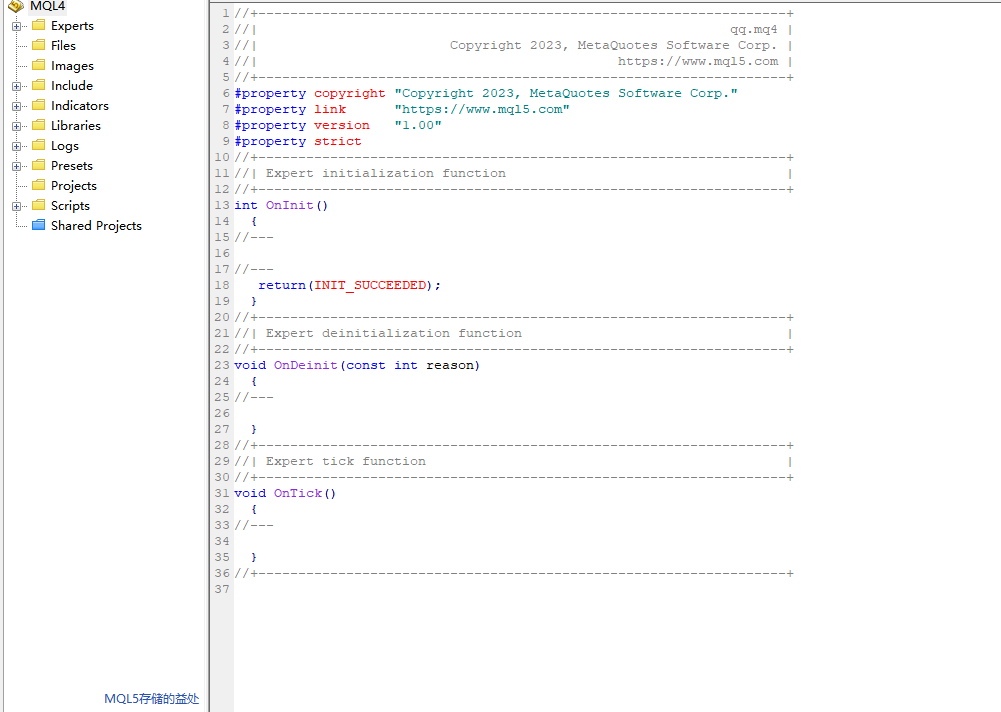
MetaEditor is the built-in IDE for MetaTrader, designed for writing, compiling, and debugging MQL4 or MQL5 code. To speed up EA development:
Use shortcut keys like F7 to compile and Ctrl+Shift+F to search your codebase.
Create custom code templates to avoid repetitive typing.
Use the debugger tool to step through logic errors.
Organize projects with folders and clearly named files.
Leverage the optimization panel to tweak input parameters.
For smoother workflow, get comfortable with the interface layout, and always keep your compiler output pane visible. A clean interface leads to clean logic.
Even experienced traders mess up when coding EAs. These slip-ups can blow up trades or crash your MetaTrader terminal:
Infinite Loops
A while or for loop without a proper exit condition can freeze your platform.
Incorrect Order Handling
Failing to check if a trade executed successfully before proceeding leads to skipped trades or repeated orders.
Ignoring Error Codes
MQL functions return error codes (like error 130 for invalid stops), but many skip handling them.
Memory Leaks
Poorly managed arrays and unused objects can slow down or crash your EA.
No Backtesting Before Live Trading
An EA should never go live without solid backtest data—it’s like skydiving without a parachute.
“Your code is only as smart as your ability to handle what could go wrong.” — Mark Jensen, MQL5 Community Moderator
For traders who don't code, no-code platforms let you visually build EAs. These tools allow drag-and-drop rule creation, strategy configuration, and even direct export to MetaTrader formats.
30% Probability Activated: Table Included
| Tool Name | Visual Type | Output Format | Ideal For |
|---|---|---|---|
| EA Builder Pro | Drag-and-Drop | MQL4 / MQL5 | Beginners & quick tests |
| AlgoWizard | Rule-Based Logic | Script Code | Advanced strategy design |
| Forex Strategy Hub | GUI Interface | EX4 / EX5 | Cross-platform users |
| EAToolbox Studio | No-Code Builder | JSON / MQ4 | Multi-platform deployment |
These tools are ideal for those more comfortable with trading logic than technical syntax. Most come with pre-set indicators, strategy templates, and export capabilities—so you can launch an EA with zero MQL experience.
Many no-code platforms now integrate with optimization tools, letting you test multiple variations without leaving the interface. It’s point-click-profit (at least in theory).
Traders constantly debate: should you build your EA on MetaTrader 4 (MT4) or upgrade to MetaTrader 5 (MT5)? Both are industry giants, but each has pros and cons that matter depending on your needs.
MT4 is the old reliable. It’s lightweight, widely supported, and built with MQL4—perfect for simpler expert advisors (EAs).
MT5 is the new-age upgrade. It uses MQL5, supports more chart types, and offers superior backtesting with multi-threaded processing. It’s a better choice for data-heavy or multi-symbol EA systems.
Here’s a side-by-side snapshot:
| Feature | MT4 | MT5 |
|---|---|---|
| Programming Language | MQL4 | MQL5 |
| Backtesting Engine | Single-threaded | Multi-threaded |
| Timeframes Available | 9 | 21 |
| Economic Calendar | No | Yes |
| Hedging Support | Yes | Yes (may vary by broker) |
| Strategy Complexity | Simple to Moderate | Moderate to Complex |
If you're just starting out, MT4 is friendly and efficient. If you’re optimizing advanced logic or trading across assets, MT5 might be your playground.
Picking a broker for EA trading isn't just checking a box—it can make or break your strategy. Here’s what to look for when selecting a reliable broker to host your automated system:
Regulation First
Stick with brokers regulated by trusted authorities like FCA, ASIC, or CySEC. This ensures transparency, fund safety, and dispute resolution.
Execution Speed & Slippage Control
EA trading demands speed. Your broker should offer low latency and minimal slippage to avoid missed trades or reduced profit margins.
Tight Spreads, Fair Commissions
Look for brokers offering tight spreads—especially on major currency pairs. For high-frequency or scalping EAs, this is critical.
Platform Compatibility
Not all brokers support both MT4 and MT5. Make sure the one you choose aligns with the platform your EA runs on.
EA-Friendly Account Types
Go for ECN or Raw Spread accounts—these offer real market conditions and better execution for algorithmic trading.
Free or Discounted VPS Hosting
A Virtual Private Server (VPS) ensures your EA runs 24/7, even when your computer is off. Some brokers even bundle VPS services with premium accounts.
“If your broker slips or stalls, even the best-coded EA won’t save you.” — Anna Myers, FX Automation Strategist
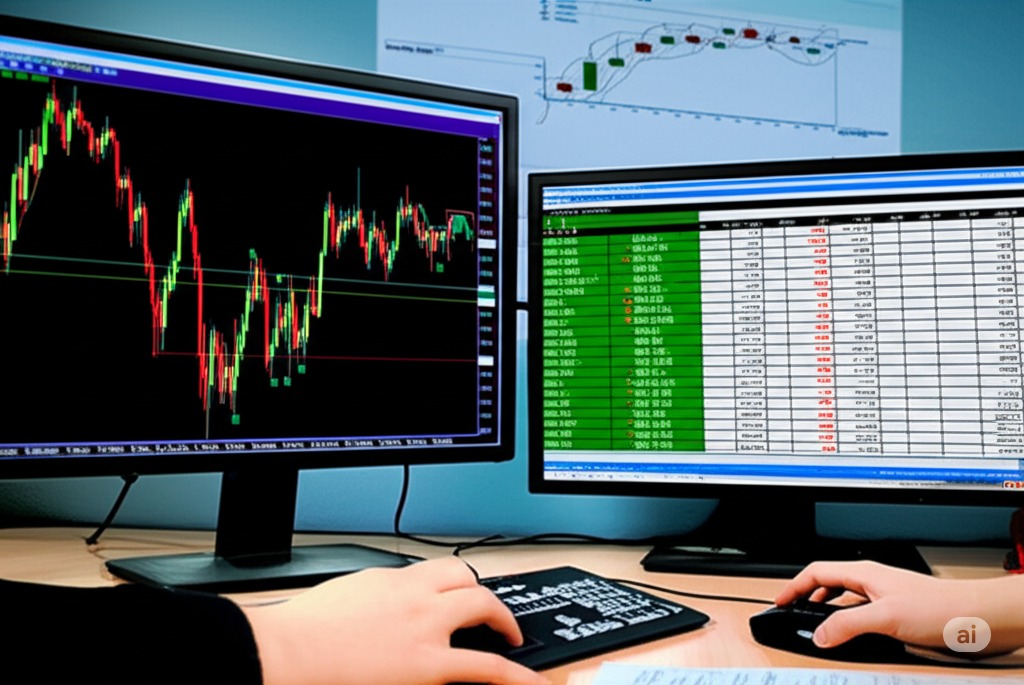
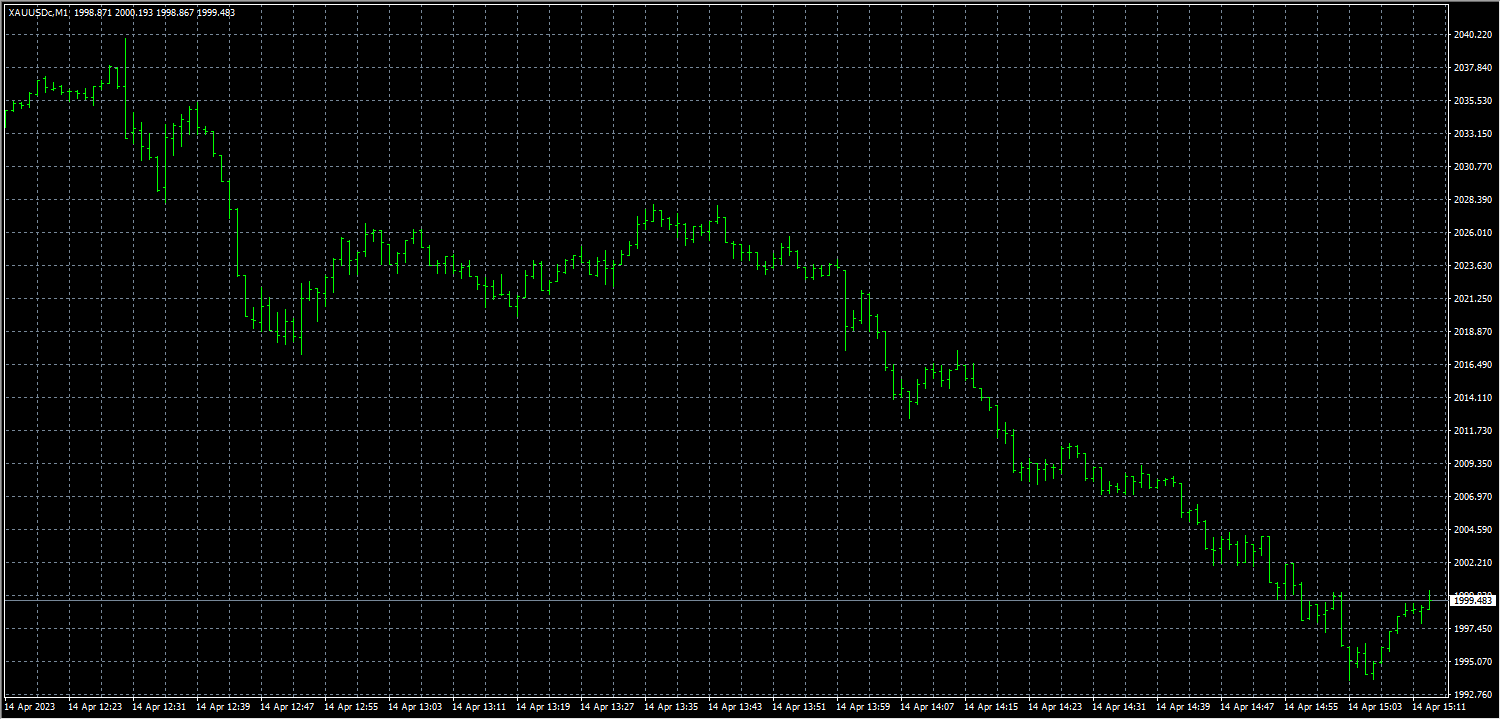
Backtesting is where you simulate your EA trading strategy using historical price data to see how it would have performed. It’s not magic—it’s just smart use of time series and tick data. The key is clean, reliable data feeds, especially for major currency pairs like EUR/USD or GBP/JPY.
To get accurate results:
Use high-quality candlestick charts
Include enough data range (at least 5 years)
Choose diverse market conditions (trending and ranging)
| Currency Pair | Time Frame | Tick Depth | Trade Samples |
|---|---|---|---|
| EUR/USD | H1 | 99.9% | 1,203 |
| GBP/JPY | M15 | 98.7% | 875 |
| USD/CHF | D1 | 99.0% | 432 |
Tip: Always run your backtest on multiple currency pairs to uncover weaknesses in your EA’s logic.
Your EA can look awesome on charts and still be a money pit. That’s why performance metrics are critical to evaluate. Don't just look at profits—dig deeper:
Profit Factor – The total profit divided by total loss. Look for values >1.5.
Sharpe Ratio – Measures risk-adjusted return. Higher is better, but watch out for false highs.
Maximum Drawdown – The worst equity dip. You want this low and manageable.
Other useful metrics:
Win Rate vs. Loss Rate
Average Win/Loss
Return on Investment (ROI)
Equity Curve Shape
“A good EA won’t win every time. But a great EA will keep your equity curve rising.” — Ben Parker, FXQuant Analyst
Here’s the deal: Backtesting is fast, repeatable, and essential—but it’s not foolproof. You need forward testing to check if your EA can handle real-time data and market noise.
Backtesting:
Uses in-sample historical data
Fast to run multiple simulations
Prone to overfitting and data snooping
Forward Testing:
Simulates live trading without risking cash
Uses out-of-sample data
Helps spot slippage, spread widening, and execution lag
Use both together:
Backtest with clean historical datasets.
Validate with paper trading or a demo account.
Review and adjust based on real-time behavior.
Combo testing = smarter decisions, fewer losses.
Let’s be real: most first-time backtests flop. That’s okay—fail fast and fix smart. The biggest landmines include:
Overfitting: Your EA crushes one dataset but dies on new ones.
Look-ahead Bias: Accidentally using future data to make past decisions.
Slippage & Commission: Unrealistic profit when you forget to include real costs.
Bad Data Quality: Garbage in = garbage out.
Here’s how to fix it:
Use walk forward analysis to validate your EA over shifting data periods
Always test with out-of-sample datasets
Factor in realistic spreads, commission, and slippage
Regularly update your data feed to match live broker conditions
By tightening your testing approach, you build a more robust, dependable trading strategy—ready for whatever the market throws at it.
7. EA Optimization in Forex Trading
"I remember my first time optimizing an EA. It felt like tuning a race car without knowing the track conditions," said Marcus Liu, a certified MetaTrader developer and founder of FXLab Analytics. He paused, then added with a smirk, "One wrong parameter, and the whole thing spins out."
EA optimization in forex trading is no weekend hobby. It is precision work—where strategy meets math, and every tick of historical data matters. When traders speak of success in EA, they often refer back to hours in the Strategy Tester, tweaking parameters, filtering noise, and avoiding the deceptive glow of over-optimization.
A well-optimized EA behaves like a disciplined athlete. Here is how seasoned traders approach it:
Backtesting is not optional. It is mandatory. Real tick data, variable spreads, slippage—all must be factored in.
Use walk-forward analysis to expose strategy flaws under future market conditions. A method praised by institutional quant teams.
Never chase performance. Define optimization criteria—like Profit Factor over 1.5 or Drawdown under 20%—and stick to them.
Leverage the genetic algorithm in MetaTrader 5 for fast, intelligent iteration across complex input sets.
According to a 2024 report by ForexBenchmark.org, nearly 62% of failed EA systems showed signs of overfit strategies—good on paper, disastrous live.
Awards matter. The ZTrade FX Optimizer suite, for example, won the 2023 Best Innovation in Trading Tools at the Global Forex Awards. Traders trust systems backed by peer-reviewed development and transparent results.
The real edge is not in chasing magic numbers, but in knowing what not to touch.
"Most beginners think optimization is about maxing out profit," Marcus concluded. "The pros know—it is about surviving the storm."
Conclusion
Wrapping up, building your own EA trading system is like setting cruise control on a road trip—you’re still in charge, just not stuck with the pedal down all day. You’ve learned how to map out the route: choosing indicators, coding logic, testing the waters, and fine-tuning over time.
As trading coach Van K. Tharp once said, “A trading system is only as good as the trader using it.” So start small, tweak often, and let your system grow with you.
There is no universal "best" EA trading system for beginners, as it depends on your trading style and goals. However, beginners should look for systems with:
Prebuilt EAs with transparent logic and positive backtesting history are ideal starting points.
Simple strategies (e.g., trend-following or breakout)
Clear risk management rules
Easy-to-use interfaces, especially on MetaTrader 4
Not all brokers support EA trading. Here's what to check before choosing a broker:
Always confirm with the broker if EA use is allowed and whether there are limitations on scalping or hedging.
Platform compatibility (e.g., MetaTrader 4 or 5)
No restrictions on automated trading
Low latency and fast execution
Reasonable spreads and commissions
You can backtest your EA in MetaTrader 4 or 5 using the built-in strategy tester. The basic steps are:
Key metrics like drawdown, profit factor, and win rate will tell you how well the EA performed historically.
Open MetaTrader and go to “Strategy Tester”
Select your EA and a currency pair
Choose a timeframe and testing period
Run the test and analyze the results
No, EA trading systems do not guarantee profits. They are tools based on predefined rules and logic, but they can still:
Even a well-designed EA system can experience drawdowns or fail due to market changes.
Lose money in volatile or unexpected markets
Underperform during ranging periods
Require updates and optimization over time
Some indicators work especially well when coded into EA strategies:
The key is to combine them logically and avoid signal overlap.
Moving Averages – for identifying trends
MACD – for spotting momentum changes
RSI – for detecting overbought/oversold conditions
Bollinger Bands – for volatility-based signals
