




If you're a trader looking to streamline your operations across MetaTrader platforms, a trade copier tool could be the solution you need. A free MT4 to MT5 trade copier tool allows you to seamlessly copy trades from MetaTrader 4 (MT4) to MetaTrader 5 (MT5), ensuring your trading strategies are executed efficiently across different platforms. This tool is especially valuable for traders managing multiple accounts or seeking to automate trade replication with minimal latency. In this guide, we will explore the features, benefits, and potential challenges of using a free trade copier, helping you make an informed decision about integrating this tool into your trading workflow.
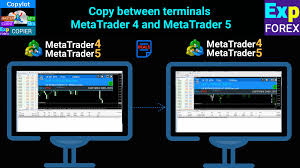
Features of Free MT4 to MT5 Trade Copier Tools
Trade copier tools are essential for seamless trade replication between MetaTrader platforms. In this section, we'll explore the key features of a free MT4 to MT5 trade copier tool that enhance trading efficiency, from low latency to advanced functionalities like multi-account support and VPS compatibility.
Low Latency and Fast Execution
In the world of forex trading, latency plays a crucial role in the execution of trades. Any delay in data transmission between MT4 and MT5 can cause slippage, affecting trade profitability. A trade copier tool designed for low latency minimizes this delay, ensuring that trades are copied with high speed and precision. This means faster execution times, particularly for strategies requiring quick reactions to market changes, such as scalping or news trading. By optimizing performance, low-latency trade copiers reduce the risk of missed opportunities, allowing traders to mirror trades almost instantly across different platforms.
Order Filtering and Lot Size Adjustment
Customizing trade copying settings is crucial for matching the specific needs of different account sizes and trading strategies. A good MT4 to MT5 trade copier tool provides features like order filtering and lot size adjustment, ensuring that trades are copied according to the trader's preferences. For example, traders with larger accounts may want to replicate trades with higher lot sizes, while smaller accounts might require reduced lot sizes. Additionally, order filtering allows traders to exclude certain trade types or specific instruments, ensuring that only relevant trades are copied, streamlining the overall process.
| Feature | Description | Benefits |
|---|---|---|
| Order Filtering | Exclude unwanted trade types or instruments | Focus on specific trades, avoid unnecessary risk |
| Lot Size Adjustment | Adjust copied trade sizes based on account size | Proper risk management and tailored strategies |
| Account Matching | Match copied trade volume to different account balances | More accurate replication and better control over positions |
Reversing Trading Features
One of the most powerful features of some trade copier tools is the ability to reverse trades. This feature is useful for hedging strategies, where traders may want to take the opposite position of a copied trade to offset potential losses. Additionally, it can be used for counter-strategy testing, enabling traders to test different trading approaches without manually altering positions. By reversing trades, traders can hedge against market risks, improve portfolio diversity, or experiment with different strategies automatically.
Multi-Account Support
Efficiently managing multiple accounts is one of the primary advantages of a free MT4 to MT5 trade copier tool. Many traders, especially professionals, operate several accounts on MT4 and MT5 platforms for different trading purposes, such as testing strategies, managing client funds, or diversifying risk. With multi-account support, a trade copier tool allows for seamless synchronization across all accounts, ensuring trades are copied across platforms without manual intervention. This enables automated trading on multiple platforms simultaneously, saving time and reducing errors.
VPS Compatibility of Trade Copier Tools
For traders using MT4 and MT5 platforms, VPS compatibility is crucial for ensuring consistent performance. A VPS (Virtual Private Server) allows the MT4 to MT5 trade copier tool to run 24/7, unaffected by local device failures or internet issues. This provides enhanced reliability and ensures that trade replication continues even when the trader's computer is offline. Coupled with low latency VPS hosting, this feature helps maintain optimal execution times and ensures that trades are copied without interruptions, giving traders peace of mind during high-volatility periods.
Best Practices for Using the Free MT4 to MT5 Trade Copying Tool
Optimizing the use of a free MT4 to MT5 trade copier tool involves more than just installing it; understanding and applying best practices ensures maximum efficiency and risk control. In this cluster, we’ll delve into the strategies for choosing the right broker, configuring risk management, monitoring performance, and avoiding common mistakes.
Choosing a Compatible Broker
When selecting a broker for your MT4 to MT5 trade copier, compatibility is key. Not all brokers support the seamless copying of trades between MT4 and MT5, so it’s essential to choose one that offers multi-platform support. Look for brokers that provide both platforms with full functionality, including trade replication, low latency, and multi-account support. Additionally, ensure the broker offers a stable trading environment, preferably one that integrates well with your trade copier tool. This compatibility ensures smooth trade execution without issues like delayed data transmission or failed trade copying.
Setting Risk Management Parameters
Configuring risk control tools in your trade copier can be a game-changer for safeguarding your capital. Key parameters include slippage control, lot limits, and stop-loss settings. By setting these parameters, you can minimize the impact of slippage and ensure your trades align with your risk tolerance. For example, if you are copying high-risk trades, setting a lower lot size or a tighter stop-loss can mitigate potential losses. These configurations allow traders to tailor the copier to their unique strategies, protecting accounts from excessive drawdown while maintaining consistent profitability.
| Risk Management Feature | Purpose | Benefit |
|---|---|---|
| Slippage Control | Minimize deviation in order price | Ensures copied trades execute as intended |
| Lot Size Limits | Control the size of trades copied | Helps manage risk across different account sizes |
| Stop-Loss Settings | Automatically close trades at a set loss level | Protects accounts from large, unexpected losses |
Monitoring Performance Indicators Using MT4/MT5 Analytics
Monitoring the performance of your MT4 to MT5 trade copier tool is critical for assessing its efficiency and profitability. Both MT4 and MT5 offer robust analytics tools that allow traders to evaluate various metrics, such as win rates, drawdowns, and the overall profitability of the copied trades. By analyzing these performance indicators, traders can identify any inefficiencies in the copier setup or detect any irregularities in trade execution. Regular monitoring enables adjustments to be made in real-time, ensuring that the copier is always aligned with trading goals and market conditions.
Avoiding Common Pitfalls
While a free trade copier offers many advantages, mistakes in setup can lead to issues like trade duplication errors or incorrect lot sizes. One common mistake is not properly configuring the copier’s settings, such as failing to adjust for account size or ignoring broker compatibility. Traders should also be cautious of overloading the system with too many accounts or not setting the appropriate risk management parameters. To avoid these pitfalls, it’s essential to double-check settings, test the copier with small trades, and ensure proper synchronization between MT4 and MT5.
Comparing Free vs Paid Trade Copy Tools
When choosing between a free MT4 to MT5 trade copier tool and a paid solution, understanding the differences in features, costs, and functionalities is essential. In this cluster, we compare the key aspects of both options to help you make an informed decision.
Major Differences in Features
While free trade copier tools can be an excellent starting point, paid tools typically come with additional features and enhanced functionalities. Here's how they compare:
Advanced Customization: Paid tools often offer more detailed settings for lot size adjustments, trade filtering, and multi-account management, which are limited in free versions.
VPS Compatibility: Many paid tools provide better integration with VPS services, ensuring uninterrupted, low-latency performance, which free versions may lack.
Customer Support: Paid tools often include priority support, while free tools might rely on community forums or limited help resources.
Risk Management Features: Enhanced slippage control, stop-loss settings, and reverse trading options are more commonly found in paid versions, allowing traders more control over their risk exposure.
When to Upgrade from Free to Paid
Upgrading from a free tool to a paid trade copier is beneficial when certain features or functionalities become essential for your trading strategy. Consider upgrading if:
Increased Trading Volume: If you’re managing multiple accounts with larger volumes, a paid solution offers better support for multi-account synchronization and trade replication.
Advanced Risk Management: When you need more sophisticated tools, like real-time risk control, advanced filtering, or enhanced lot size adjustments.
High Reliability: If you experience consistent latency issues with free tools or require constant uptime, paid tools often offer VPS compatibility and optimized performance.
Popular Free MT4 to MT5 Trade Copy Tools
For traders on a budget, there are several top-rated free MT4 to MT5 trade copier tools available that still offer solid features. Here's a comparison of some popular options:
| Tool Name | Key Features | Limitations | Best For |
|---|---|---|---|
| Trade Copier Free | Basic order copying, multi-account support | No VPS integration, limited customization | Beginner traders with simple needs |
| MT4 to MT5 Copier | Free setup, supports multiple pairs | Slippage control only in premium version | Traders on a tight budget |
| FxBlue Trade Copier | Simple setup, supports MT4 to MT5 syncing | Lack of advanced risk management features | Traders looking for basic copying without extra costs |
This table highlights the trade-offs between cost and feature sets, helping you choose the best free option for your needs.
By comparing the free and paid trade copier tools, traders can better assess which option best suits their requirements for performance, flexibility, and risk management. While free tools provide basic functionalities, paid solutions offer enhanced support for more advanced trading strategies.
Technical Insights for Developers
For developers and advanced users looking to create or customize a free MT4 to MT5 trade copier tool, understanding the technical aspects of programming, optimization, and integration is crucial. This cluster delves into the essential programming insights that enable developers to enhance the functionality of trade copiers, manage latency, and debug open-source tools effectively.
Understand MQL4 and MQL5 for Trade Copier Development
MQL4 and MQL5 are the primary programming languages used to develop MetaTrader expert advisors (EAs) and scripts, including trade copiers. While both languages serve similar purposes, they have some critical differences:
MQL4 is used for developing scripts on MT4, and is relatively simpler, which makes it easier for beginners to get started. However, it has fewer functions and flexibility compared to MQL5.
MQL5, the language for MT5, offers advanced features such as more powerful object-oriented programming capabilities, improved graphical interfaces, and a broader range of trading functions, making it ideal for building complex trade copiers.
| Feature | MQL4 | MQL5 |
|---|---|---|
| Ease of Use | Beginner-friendly | Requires more experience |
| Flexibility | Limited | High flexibility for complex systems |
| Functionality | Basic trading functions | Advanced features like custom indicators, better performance |
| API Access | Limited API integration | Full access to powerful APIs for integration |
API Integration for Enhanced Functionality
API integration extends the capabilities of MT4 to MT5 trade copiers, allowing developers to incorporate external tools or services. APIs enable integration with external databases, VPS systems, and third-party services like advanced risk management tools, real-time analytics, or even machine learning-based trade signals. By incorporating APIs, developers can build more advanced, scalable systems that support multi-account synchronization and even perform actions such as dynamic order adjustments or automatic trade filtering based on real-time data.
Building Customizable Settings
Customizable settings allow traders to fine-tune the behavior of a trade copier according to their individual strategies. These settings can include things like:
Trade replication frequency
Risk parameters
Order filtering criteria
Creating a robust interface for customizing these settings ensures that traders can adapt the copier to specific market conditions or personal preferences, enhancing both usability and performance.
Enable Latency Control by Optimizing Code
To ensure low latency, it's essential to optimize the underlying code of the trade copier. The key to latency control lies in efficient coding practices, such as minimizing unnecessary function calls, reducing data handling delays, and ensuring that the trade copier only performs essential tasks during execution.
Optimize data parsing: Ensure data from MT4/MT5 is processed in the most efficient way.
Reduce API calls: Excessive use of external APIs can introduce delays.
Efficient threading: Use multi-threading to handle data processing and execution separately to avoid blocking trade signals.
Debugging Free Trade Copier
Debugging is a crucial step when working with open-source trade copiers. Identifying common errors like incorrect data parsing, synchronization issues, or failure to match trade parameters can save valuable time. Common debugging techniques include:
Log analysis: Check logs for discrepancies in order copying.
Step-by-step execution: Use debugging tools to inspect each function in the copier, ensuring it behaves as expected.
Error trapping: Implement error-handling mechanisms to deal with issues like missing data or server communication failures.
DLL Integration for Advanced Features
Dynamic Link Libraries (DLLs) allow developers to extend the functionality of MT4 to MT5 trade copiers. By integrating DLLs, developers can add features such as enhanced charting tools, custom trade analysis algorithms, or even integrate third-party libraries for improved performance. DLLs provide more flexibility than scripting languages alone and can significantly enhance a trade copier’s capabilities.

Forex Strategies Using MT4 to MT5 Trade Copying Tool
The MT4 to MT5 trade copier tool isn’t just a utility for copying trades—it can also be leveraged to implement and scale complex forex strategies. In this cluster, we explore how traders can use the copier to expand their strategies across multiple accounts, implement hedging tactics, copy Expert Advisor (EA) signals, and effectively spread risk.
Scaling Forex Strategies Across Multiple Accounts
One of the most powerful features of the MT4 to MT5 trade copier tool is its ability to scale forex strategies across multiple accounts simultaneously. This enables traders to expand their operations without needing to manually place trades on each individual account. By automating the trade copying process, traders can replicate profitable strategies across several accounts, whether they are on the same broker or different brokers. This scaling capability allows for more efficient execution and ensures that all accounts benefit from the same trading signals and strategies in real-time.
| Feature | Benefit | Example Use Case |
|---|---|---|
| Multi-Account Support | Copy trades across different accounts | Manage multiple client accounts with ease |
| Automation | Increase efficiency, minimize human error | Implement strategies in seconds across all accounts |
| Simultaneous Execution | No delays in trade execution | Trade large volumes across multiple accounts without lag |
Hedging by Reversing Trades
Reversing trades is a popular hedging strategy that can be effectively implemented with the MT4 to MT5 trade copier tool. When you reverse a trade, you place an opposite position to balance your portfolio against potential market downturns. The trade copier tool can mirror these reversed trades across multiple accounts, allowing you to hedge positions on a larger scale. This functionality is particularly useful for reducing risk during volatile market conditions or testing counter-strategies without directly modifying your original positions.
Automated Expert Advisor Signals
Integrating Expert Advisor (EA) signals with the trade copier tool allows for seamless automation of trading strategies across platforms. With MT4 to MT5 trade copier tools, EA signals from MT4 can be directly copied to MT5, maintaining consistency in your strategy regardless of the platform. This integration ensures that you can take full advantage of automated strategies, such as scalping or trend-following, across multiple accounts, optimizing execution and minimizing manual intervention.
Spreading Risk Using Trade Copier
Spreading risk across different accounts and brokers is a crucial strategy in forex trading. The MT4 to MT5 trade copier tool allows traders to distribute their trades across multiple accounts, brokers, or even different trading instruments. This method, known as risk diversification, helps mitigate potential losses by ensuring that not all positions are exposed to the same market conditions. By using the trade copier, traders can ensure that their risk is spread evenly, improving the overall stability of their portfolio.

Broker Compatibility and Trade Copier Integration
Broker compatibility plays a vital role in the effectiveness of a free MT4 to MT5 trade copier tool. The type of broker you use, the spreads, and their execution models can significantly impact the efficiency of trade copying. In this cluster, we explore how different broker types, spread conditions, and potential limitations affect your trade copier setup.
How ECN and STP Brokers Affect Trade Copier Efficiency
ECN (Electronic Communication Network) and STP (Straight Through Processing) brokers are popular choices for traders using MT4 to MT5 trade copier tools due to their fast execution and low slippage. ECN brokers provide direct market access with tighter spreads and lower latency, making them ideal for copying trades in real-time. STP brokers, on the other hand, route trades directly to liquidity providers, often offering a more reliable execution process. The key difference between these broker types lies in their pricing and execution models, which directly impact trade copying performance.
| Broker Type | Execution Model | Benefits for Trade Copier | Challenges |
|---|---|---|---|
| ECN | Direct market access | Faster execution, lower slippage | Higher spreads during volatile periods |
| STP | Direct routing to liquidity providers | Reliable execution | Slightly higher spreads compared to ECN |
| Market Maker | Internalizes orders | Fixed spreads | Potential for delays, slippage |
Spread Considerations for Copier Efficiency
When using a MT4 to MT5 trade copier, spreads play a crucial role in determining the efficiency of trade execution. Wider spreads can erode profits, especially when replicating trades on a large scale. Therefore, it’s essential to choose brokers offering tight spreads, particularly in markets with high volatility. For instance, during news releases or market events, brokers with wider spreads may experience slippage, impacting the copied trades. Evaluating brokers based on spread conditions can help ensure that your copier tool remains efficient and cost-effective, especially when copying strategies across multiple accounts.
Challenges Facing Dealing Desk Brokers and Trade Copiers
Dealing desk brokers can introduce several challenges when using trade copier tools, primarily due to their internalized order flow. These brokers may impose delays or limits on trade copying to manage their risk or prevent large-scale arbitrage strategies. Unlike ECN or STP brokers, market makers often act as the counterparty to trades, which can create conflicts with automated trading systems, resulting in slower trade execution and less accurate replication. Traders using a trade copier with a dealing desk broker should be mindful of these limitations and may need to adjust their expectations or seek alternative broker options to ensure smooth copying.
Conclusion
In summary, the MT4 to MT5 trade copier tool offers a range of features and strategies that empower traders to efficiently replicate and scale their trades across multiple accounts. By understanding the key aspects like latency control, broker compatibility, risk management, and API integration, traders can optimize their trading processes and enhance profitability. Whether you're scaling strategies, implementing hedging tactics, or ensuring low-latency execution, the right trade copier setup is crucial. Additionally, understanding the nuances between free vs paid solutions can guide you in making informed decisions based on your trading needs and technical expertise.
For developers and advanced users, exploring technical tools like MQL4, MQL5, and API integrations unlocks more robust functionalities and helps overcome challenges like debugging and optimization. Furthermore, selecting the right broker—be it ECN, STP, or Market Maker—is essential for seamless trade copying and efficient execution. By considering all these factors, you can fully harness the potential of the free MT4 to MT5 trade copier tool to maximize your trading efficiency and profitability.
An MT4 to MT5 trade copier tool allows traders to replicate trades from one account (MT4) to another (MT5). It syncs trades between both platforms, helping traders manage multiple accounts without manually executing trades.
The main advantage of using a free trade copier is the cost savings. It allows traders to copy trades without paying for premium services, which is ideal for those just starting or testing strategies. - No upfront cost - Limited features compared to paid versions - A good option for small-scale trading
ECN brokers provide direct market access, ensuring faster trade execution with lower latency, which significantly enhances the performance of trade copiers. This is ideal for real-time copying, reducing slippage and improving accuracy.
Upgrading from a free to a paid MT4 to MT5 trade copier is recommended when you require additional features such as advanced risk management tools, better customization options, multi-account support, and enhanced performance with no limitations.
Spreads have a significant impact on trade copier efficiency. Brokers with tighter spreads provide better execution for copied trades, reducing costs and maximizing profits. Wider spreads can erode profits, especially in high-frequency trading.
Hedging by reversing trades involves placing an opposite position to offset potential losses in a trade. This functionality is particularly useful when managing risk or testing counter-strategies on multiple accounts using the trade copier.
A trade copier allows you to copy trades across multiple accounts and brokers, spreading risk by diversifying your portfolio. This can be done by using different brokers with varied risk profiles, ensuring that all trades are copied without centralizing all funds in one place.
Dealing desk brokers may impose limits or delays on trade copying due to their internal order execution system, which can lead to **slippage** and slow execution times. These brokers are not ideal for traders who require real-time trade copying and fast execution.

