




Accessing IC Markets securely and efficiently is the first step to a seamless trading experience. Whether you're a beginner logging into your account for the first time or an experienced trader using advanced platforms like MetaTrader 4, MetaTrader 5, or cTrader, mastering the login process is essential. This guide will walk you through everything from creating an account and troubleshooting common login issues to ensuring maximum security with best practices. By the end, you'll have a clear understanding of how to navigate IC Markets login procedures with confidence, enabling quick and secure access to your trading platform.
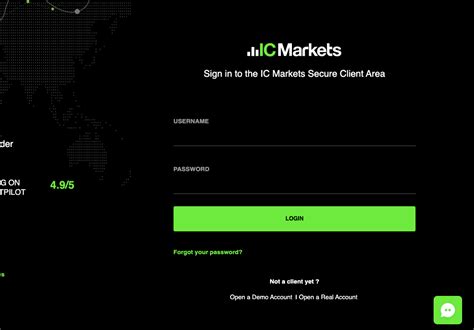
Mastering IC Markets Login Basics
IC Markets login is essential for accessing MetaTrader 4, MetaTrader 5, and cTrader platforms securely. Learn account creation, troubleshooting errors, and switching accounts seamlessly for Forex and CFDs trading.
1. Creating an IC Markets Account
Understanding the process of creating an IC Markets account is the first step to access trading platforms like MT4 and cTrader.
Select from various account types, including Standard, Raw Spread, and Demo.
Upload verification documents to meet KYC requirements.
Use a secure password to protect against unauthorized access.
Leverage the platform’s detailed tutorials for setting up your trading account.
2. Default Login Procedures for MetaTrader Platforms
Effortlessly access MetaTrader 4, MetaTrader 5, or cTrader by following these steps:
Download your preferred platform (MT4, MT5, or WebTrader).
Use the IC Markets credentials provided post-registration.
Enter your account type and select the correct server (e.g., ICMarkets-Live01).
Switch seamlessly between Demo Account and live trading modes.
Comparison of Login Features Across Platforms
| Platform | Login Credentials | Key Features | Best For |
|---|---|---|---|
| MetaTrader 4 | Username, Password, Server | Fast execution, Technical Indicators | Forex Trading |
| MetaTrader 5 | Username, Password, Server | Advanced charting, Multi-asset access | Forex, Stocks, CFDs |
| cTrader | Email, Password | Algorithmic trading, Custom layouts | Advanced Traders |
| WebTrader | Browser-based login | Quick access without downloads | Beginners & On-the-go Use |
3. Security Best Practices for Login Credentials
Security is crucial for protecting your financial data and trading activities. Follow these best practices:
Use two-factor authentication (2FA) for an extra layer of security.
Update your password regularly and avoid reusing it across platforms.
Secure your devices with antivirus software.
Monitor account activity for unusual logins and report them immediately via Live Chat or the Help Center.
4. Troubleshooting Login Errors
If login issues arise, address them promptly using these steps:
Incorrect Credentials: Reset your password using the account recovery feature.
Server Issues: Confirm you are connected to the right server (e.g., ICMarkets-Live02).
Platform Updates: Ensure you are using the latest versions of MT4, MT5, or cTrader.
Pro Tip: Access the FAQ section or contact support via Live Chat for additional guidance.
5. Switching Between Demo and Live Accounts
Switching between Demo and Live Accounts allows traders to practice strategies and execute real trades efficiently:
Use the dropdown menu in the MT4 or cTrader interface to toggle between accounts.
Demo accounts help test trading on Forex or CFDs without risking real capital.
Transition to a live account once you’re comfortable with spreads, leverage, and execution speed.
By mastering these basics, traders can unlock the full potential of IC Markets for a smooth and secure trading experience.
Login for Advanced Platforms: Customization and Features
Efficient and secure login processes on IC Markets advanced platforms like cTrader and MT5 are essential for professional traders. This cluster explores tailored login options, platform-specific features, and tools that optimize your trading journey.
1. Logging Into IC Markets via cTrader Account
Accessing cTrader:
Navigate to the IC Markets portal and select the cTrader platform.
Use the email and password linked to your IC Markets account.
Security Features:
Two-factor authentication (2FA) enhances protection during login.
Regular prompts for credential updates maintain account security.
cTrader Interface Customization Post-Login:
Personalize workspace layouts for faster trading execution.
Save preferred charting setups and technical indicators.
2. Optimizing Login for VPS Hosting
A Virtual Private Server (VPS) enhances your login process by ensuring speed, reliability, and security for professional trading. Here's how to integrate VPS with your IC Markets account:
Setup Process:
Purchase a VPS hosting plan from IC Markets or a trusted provider.
Access your trading account via remote desktop for consistent uptime.
Benefits:
Lower latency for high-frequency trading.
Uninterrupted sessions even during local network outages.
Table: VPS Hosting Benefits
| Feature | Benefit | Entity Relevance |
|---|---|---|
| Low Latency | Faster order execution | Spreads, Leverage, Execution |
| Enhanced Security | Protected connections | VPS Hosting, 2FA |
| Remote Access | Trading anywhere, anytime | MetaTrader 4, MetaTrader 5 |
| Reliability | No downtime during trades | Forex, CFDs, Indices |
| Technical Support | Dedicated assistance for setup | Live Chat, Phone Support |
3. MetaTrader 4 vs. MetaTrader 5 Login Features
MetaTrader 4 (MT4) and MetaTrader 5 (MT5) cater to different trading needs, each with distinct login functionalities.
MT4 Login Features:
Ideal for Forex trading and basic CFD management.
Streamlined interface with one-click login.
MT5 Login Features:
Enhanced for diverse financial instruments like stocks, bonds, and futures.
Multi-account login for traders managing Standard and Islamic Accounts.
MT5 also integrates advanced technical tools like customizable charts and automated trading systems.
Financial Instruments and Account Management Post-Login
Efficient account management and financial instrument access after logging into IC Markets enable traders to make informed decisions. This guide explores how to optimize trading workflows post-login.
1. Accessing Forex and CFDs Through IC Markets Login

Forex remains the most traded instrument on IC Markets, accessed easily post-login.
Popular CFDs include Indices, Commodities, and Stocks, providing diverse trading options.
After logging in, traders can navigate through platforms like MetaTrader 4, MT5, or cTrader for seamless access.
Features like tight spreads and flexible leverage enhance trading efficiency.
Quick Tip: Use platform search filters to swiftly locate specific instruments.
2. Post-Login Tools for Financial Instrument Analysis
Maximizing IC Markets' tools requires proper usage post-login:
Economic Calendar:
Tracks key market-moving events directly from your dashboard.
Identifies opportunities in Forex and Futures markets.
Trading Calculators:
Helps calculate margin and swap costs for selected commodities or indices.
Technical Indicators:
Integrated within MetaTrader platforms for robust market analysis.
Below is a table detailing common trading tools and their use cases:
| Tool | Purpose | Example Use Case |
|---|---|---|
| Economic Calendar | Tracks global economic events | Anticipate price movements in Forex. |
| Trading Calculator | Computes margin, swaps, and pip values | Evaluate costs for commodities trades. |
| Technical Indicators | Analyzes price trends | Use Moving Averages for stocks prediction. |
3. Account Type Specific Features Post-Login
Different IC Markets account types provide unique features:
Raw Spread Account: Designed for low-cost Forex trading with spreads starting from 0.0 pips.
Demo Account: Enables practicing strategies on MT4 or MT5 without risks.
Islamic Account: Swap-free, adhering to Sharia principles.
Post-login, account-specific dashboards allow tailored management of spreads, margin, and execution settings.
4. Customizing Financial Instrument Panels After Login
Efficient panel customization ensures quick access to preferred instruments:
Step 1: Log into MetaTrader or cTrader platform.
Step 2: Use drag-and-drop features to organize assets like Bonds, Stocks, or CFDs.
Step 3: Save layouts for seamless future trading sessions.
Step 4: Utilize color-coded charts for better trend analysis.
Benefits: Personalized layouts improve trading speed and accuracy.
Accessing and managing financial instruments post-login is key to successful trading on IC Markets. Using trading tools, customizing dashboards, and leveraging account-specific features align traders for efficiency and precision.
Funding and Withdrawal Processes Linked to Login
Efficiently managing funding and withdrawals on IC Markets is crucial for seamless Forex trading. Secure login ensures access to funding tools like Skrill and Neteller, enabling real-time financial transactions across trading accounts.
1. Login Requirements for Secure Funding Options
IC Markets prioritizes security in funding processes to protect traders’ capital. Logging in to manage funding involves:
Secure Connection: Always log in via an HTTPS-protected connection.
Verified Payment Methods: Use authenticated payment channels like Credit Cards, Bank Transfers, or PayPal.
Account Compatibility: Ensure the funding method matches your IC Markets account type (e.g., Islamic or Raw Spread Account).
Real-Time Status: Monitor funding updates via your Dashboard.
2. Navigating Withdrawal Options Post-Login
Withdrawals on IC Markets are streamlined to minimize delays. Steps to initiate a secure withdrawal:
Login Securely: Access your account using 2FA for added security.
Choose Method: Select the preferred withdrawal method—PayPal, Skrill, Bank Transfer, etc.
Verify Account: Confirm your bank or e-wallet details for smooth processing.
Initiate Withdrawal: Request the desired amount and confirm via email verification.
Track Status: Monitor your withdrawal progress in the Transactions tab.
3. Real-Time Updates for Funding Transactions Post-Login
Transaction Methods and Features
| Method | Processing Time | Fees | Supported Currencies | Recommended For |
|---|---|---|---|---|
| Credit Card | Instant | Varies by provider | USD, EUR, GBP | Small deposits |
| Skrill | Instant | Low fees | Multi-currency | Forex traders |
| Bank Transfer | 2–5 business days | May include bank charges | USD, EUR | Large transactions |
| PayPal | Instant | Medium | USD, GBP | Quick, secure transactions |
| Neteller | Instant | Low fees | USD, EUR | Frequent small deposits |
Real-time updates reduce waiting times and improve trader confidence during funding.
4. Login-Linked Security for Financial Transactions
Securing financial transactions requires understanding the integration of login and payment workflows.
Login ensures access to verified payment methods tied to your IC Markets account.
Two-factor authentication protects transaction data.
Email confirmations validate requests, ensuring funds are securely processed.
Using secure trading calculators post-login helps ensure deposits align with your leverage and margin needs.
5. Funding Tools Available After Login
IC Markets provides essential tools to simplify funding for traders:
Trading Calculator: Optimize deposits to maintain adequate margin.
Market Analysis: Leverage economic calendars to time funding with market events.
VPS Hosting: Ensure uninterrupted funding access for high-frequency traders.
These tools enhance the overall funding and withdrawal experience post-login.
6. Troubleshooting Funding Errors from the IC Markets Dashboard
Funding errors can disrupt trading activities. Effective troubleshooting strategies:
Verify Login Credentials: Ensure access to the correct trading dashboard.
Check Payment Method: Confirm card or wallet details are accurate.
Update Account Details: Modify outdated banking information.
Contact Support: Use Live Chat or Phone Support for immediate assistance.
IC Markets’ Help Center provides detailed FAQs to resolve common funding issues.
Customer Support and Assistance During Login Issues
Effective customer support ensures a seamless IC Markets login experience. This section delves into diverse support channels and strategies to resolve login challenges quickly.
1: Using Live Chat for Immediate Login Assistance
Instant access to real-time assistance for urgent issues.
Steps to initiate Live Chat on the IC Markets Help Center:
Navigate to the official IC Markets website.
Click on the Live Chat icon at the bottom right of the homepage.
Select the "Login Issues" category for tailored support.
Key benefits include:
Immediate troubleshooting for password or server errors.
24/7 availability for global traders across time zones.
Common queries resolved via Live Chat:
Forgotten credentials.
Server connectivity problems.
Assistance with Demo and Live account transitions.
2: Help Center Resources for Self-Service Solutions
The IC Markets Help Center offers a comprehensive repository of guides and FAQs. Traders can independently resolve common issues such as:
Password Recovery: Step-by-step instructions for resetting passwords securely.
Platform-Specific Guides:
Login walkthroughs for MetaTrader 4 (MT4), MetaTrader 5 (MT5), and cTrader.
Troubleshooting errors like "Invalid Account" or "Server Not Found."
3: Email and Phone Support for Advanced Troubleshooting
For complex login problems, IC Markets provides email and phone support to deliver tailored assistance.
Key Features:
Email Support: Ideal for sharing screenshots or detailed explanations.
Expected response time: 24-48 hours.
Example: Resolving VPS hosting login discrepancies.
Phone Support: Best for urgent issues requiring verbal guidance.
Available in multiple languages, ensuring inclusivity for international traders.
Comparison Table of Email vs. Phone Support
| Feature | Email Support | Phone Support |
|---|---|---|
| Response Time | 24-48 hours | Immediate |
| Complex Issue Handling | High (with attachments) | Moderate |
| Languages Supported | Limited | Wide range |
| Accessibility | Requires internet access | Requires phone connectivity |
| Best For | Detailed issues | Urgent troubleshooting |

Conclusion
In conclusion, mastering the IC Markets login process is essential for traders looking to achieve quick and secure access to their trading accounts. Whether you are accessing MetaTrader 4 (MT4), MetaTrader 5 (MT5), or the cTrader platform, a seamless login experience sets the stage for effective trading. By following this comprehensive guide, traders can safeguard their accounts, navigate the platforms effectively, and take full advantage of IC Markets' advanced trading tools and features. From managing account types like Demo Accounts, Raw Spread Accounts, and Islamic Accounts, to optimizing funding and withdrawals, this pillar content has covered the essentials for every step of the journey. Remember, support is always available through Live Chat, email, and the Help Center for any login-related issues. With these strategies, traders can confidently and securely access their accounts and focus on their trading goals.
{ "parent_title": "FAQs", "faqs": [ { "faq_q": "What is the IC Markets Login process for accessing MetaTrader platforms?", "faq_a": "
To access MetaTrader 4 (MT4) or MetaTrader 5 (MT5) via IC Markets:
Download the platform from the IC Markets website.
Use your account credentials (username and password).
Select the appropriate server as specified during account setup.
For WebTrader, simply log in directly through your browser without additional downloads.
" }, { "faq_q": "How do I troubleshoot login issues on IC Markets?", "faq_a": "
Common login issues can occur due to incorrect credentials or server selection. Here are some troubleshooting tips:
Verify your username and password.
Ensure the correct trading server is selected (check your registration email).
Reset your password via the IC Markets Help Center if needed.
" }, { "faq_q": "Which account types can I access using the IC Markets login?", "faq_a": "
IC Markets supports multiple account types, including:
Standard Account
Raw Spread Account
cTrader Account
Demo Account
Islamic Account
Each account type offers unique features suited for various trading styles.
" }, { "faq_q": "What should I do if I forget my IC Markets login credentials?", "faq_a": "
If you forget your login credentials:
Go to the IC Markets website.
Click on \"Forgot Password.\"
Enter your registered email to receive a password reset link.
Follow the instructions to create a new password.
If further assistance is needed, contact IC Markets’ Live Chat or email support.
" }, { "faq_q": "How do I log in securely to IC Markets using two-factor authentication (2FA)?", "faq_a": "
To log in with 2FA:
Enable 2FA from your IC Markets account dashboard.
Use an authenticator app (like Google Authenticator) to generate codes.
Enter the code during login for added security.
This ensures a secure connection and protects your account from unauthorized access.
" }, { "faq_q": "Can I log in to IC Markets on multiple devices simultaneously?", "faq_a": "
Yes, IC Markets allows login on multiple devices. However, it’s important to:
Use secure networks to avoid compromising your account.
Monitor activity to ensure no unauthorized logins occur.
" }, { "faq_q": "How does the IC Markets login process differ for cTrader accounts?", "faq_a": "
The login process for cTrader accounts differs slightly:
Use your cTrader-specific username and password provided during account setup.
Access cTrader via its standalone app or web platform.
Ensure your login details are linked to your IC Markets account.
" }, { "faq_q": "What financial instruments can I access after logging into IC Markets?", "faq_a": "
Once logged in, traders can access a variety of financial instruments, including:
Forex
Indices
Commodities
Stocks
CFDs
Futures
These instruments are available across platforms like MT4, MT5, and cTrader.
" } ] }

