




When it comes to trading on MetaTrader 4 (MT4), one of the most critical factors in ensuring long-term success is effective risk management. A position size calculator MT4 download can significantly enhance your trading strategy by helping you determine the optimal lot size for each trade based on your risk tolerance and account balance. This tool not only helps in calculating the ideal position size but also integrates seamlessly with your MT4 platform to automate key aspects of risk management, including margin and leverage. Whether you’re a seasoned trader or just starting, understanding how to properly install and use a position size calculator on MT4 can be the key to minimizing risk and maximizing trading potential.
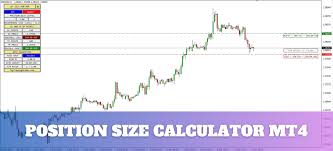
Position Size Calculator MT4 Overview
1. What is the Position Size Calculator in MT4?
The Position Size Calculator in MT4 is a powerful tool designed to help traders determine the ideal size of a trade based on their risk tolerance and account balance. Position sizing is a crucial element of risk management, as it dictates how much capital is allocated to each trade. Proper position sizing ensures that traders can stay within their risk management limits, even when facing a losing streak. This tool works alongside other risk management features, such as stop loss, take profit, and margin calculations, to help traders effectively manage their trades and avoid significant losses.
2. Why You Need a Position Size Calculator in Forex Trading
In Forex trading, proper position sizing is essential for minimizing risk and maximizing the potential for profit. The Position Size Calculator helps prevent over-leveraging by calculating the exact number of lots to trade based on the trader's account balance and predefined risk per trade. Without an accurate position size, traders are at risk of placing trades that could wipe out a large portion of their account, particularly during volatile market conditions. This tool gives traders more control over their positions and ensures that they adhere to safe and sustainable risk management practices.
3. Key Features of the MT4 Position Size Calculator
The MT4 Position Size Calculator comes with a range of features to assist traders in managing risk effectively. Key features include:
Lot Size Calculation: Calculates the optimal lot size based on account balance and risk per trade.
Pip Value: Determines the monetary value of each pip movement in a trade.
Margin Requirements: Estimates the margin required to open a trade based on the selected lot size and leverage.
Risk Management: Integrates with stop loss and take profit levels to ensure that trades align with risk management strategies.
| Feature | Description |
|---|---|
| Lot Size Calculation | Calculates the number of lots to trade based on account balance and risk. |
| Pip Value | Determines how much each pip movement is worth in monetary terms. |
| Margin Requirement | Displays the margin needed to open a trade at the desired position size. |
| Risk Management | Helps set stop loss and take profit levels according to user-defined risk preferences. |
4. How Position Sizing Impacts Risk Management
Position sizing plays a pivotal role in managing risk exposure. A trader can control how much of their capital is at risk on each trade by adjusting the position size according to their risk-reward ratio. For example, if a trader is willing to risk 2% of their account balance on a trade, the calculator will adjust the lot size accordingly, ensuring that the potential loss does not exceed the predetermined risk amount. By combining position sizing with a solid risk per trade strategy, traders can protect their capital and reduce the likelihood of large losses.
5. Compatible Financial Markets and Trading Assets
Although primarily used in Forex trading, the Position Size Calculator MT4 is versatile and can be used in other financial markets as well. Traders involved in commodities, stocks, or cryptocurrency markets can benefit from this tool by calculating the appropriate position size based on the same risk parameters. The calculator adjusts to different asset classes, helping traders manage risk across a variety of instruments.
How to Download and Install the Position Size Calculator on MT4
This cluster will guide you through the technical steps required to download, install, and verify the installation of the Position Size Calculator on your MT4 platform.
1. Where to Download the MT4 Position Size Calculator
To safely download the Position Size Calculator for MT4, it is important to rely on trusted sources. The MetaTrader Market is the best place to find verified and legitimate trading tools. Simply go to the MetaTrader Market within your MT4 terminal or visit reputable third-party sites that offer trading tools compatible with MT4. Be cautious of unofficial websites that may provide outdated or malicious files.
2. Step-by-Step Guide to Downloading the Position Size Calculator
Downloading the Position Size Calculator on MT4 is straightforward if you follow these steps:
Open your MT4 platform.
Go to the Market tab (in the "View" menu).
Search for Position Size Calculator in the search bar.
Click on the desired version of the calculator and select Download.
Confirm the download and wait for the file to be saved to your platform.
Ensure that you select the correct version compatible with your MT4 platform's build to avoid installation issues. A clean and reliable download ensures a smooth installation process.
3. How to Install the Position Size Calculator on MT4
Once the Position Size Calculator is downloaded, the installation process is simple:
Open your MT4 platform.
Navigate to File > Open Data Folder.
In the MQL4 folder, locate the Indicators subfolder.
Copy the downloaded Position Size Calculator file into the Indicators folder.
Restart MT4, and the calculator will appear in your Navigator window under "Indicators."
Common Installation Issues
Missing or misplaced files: Ensure the calculator file is placed in the correct folder.
Incompatibility with MT4 build: Make sure you download the version that matches your MT4 build to avoid errors.
| Installation Step | Action | Possible Issues |
|---|---|---|
| Step 1: Open MT4 | Go to File > Open Data Folder | N/A |
| Step 2: Locate MQL4 folder | Find the Indicators subfolder | File not found (Check download) |
| Step 3: Copy the file | Place the file in Indicators | File not copied correctly |
| Step 4: Restart MT4 | Restart platform to complete | MT4 not restarted properly |
4. How to Verify a Successful Installation
To verify the installation of the Position Size Calculator, follow these steps:
Open your MT4 platform and check the Navigator window.
Under Indicators, you should see the Position Size Calculator listed.
Drag the calculator onto a chart and check its functionality by setting trade parameters such as risk percentage and account balance.
Perform a test trade to ensure the calculator is working as expected by calculating the position size correctly.
A successful installation will allow you to use the tool without errors, helping to ensure accurate position sizing.
Configuring and Using the Position Size Calculator on MT4
Once the Position Size Calculator is installed, it’s time to configure it to match your unique trading preferences and account settings. This section covers the necessary steps to ensure the tool is tailored to your needs.
1. Configuring the Position Size Calculator for Different Trading Accounts
The Position Size Calculator on MT4 allows users to tailor the tool for different types of accounts—whether Standard, Mini, or Micro. Each account type has its own unique lot sizes and risk management settings. Here’s how to configure the calculator for various account types:
For Standard accounts, the calculator should be set to handle larger lot sizes, generally 1.0 lots and above.
Mini accounts will require adjustments for smaller lot sizes, often around 0.1 lots.
Micro accounts deal with very small lot sizes, typically 0.01 lots.
By selecting the correct account type in the calculator settings, traders can ensure the risk-to-reward ratio aligns with their specific trading goals.
2. Understanding Risk Parameters: Account Balance and Risk Per Trade
Risk management is key when configuring your Position Size Calculator. To begin, traders need to input their account balance and risk per trade. The calculator uses this data to determine the position size that aligns with the trader's risk tolerance.
For example, if your account balance is $10,000 and you are willing to risk 2% per trade, you would input:
Account Balance: $10,000
Risk Per Trade: 2%
The calculator will then recommend an appropriate position size that ensures your risk remains within the $200 (2% of $10,000) threshold.
| Account Balance | Risk Per Trade | Position Size |
|---|---|---|
| $10,000 | 2% | 2.0 lots |
| $5,000 | 3% | 1.5 lots |
| $1,000 | 1% | 0.2 lots |
3. How to Set Leverage and Margin Settings
Leverage and margin are critical factors that influence the Position Size Calculator. Setting the correct leverage ensures the calculator accounts for your ability to control larger positions with smaller amounts of capital. The Position Size Calculator allows users to input their preferred leverage (e.g., 50:1, 100:1) and margin requirements, so the tool can recommend a suitable position size based on these factors.
4. Position Sizing Calculations for Forex Pairs, Stocks, and Commodities
The Position Size Calculator adapts to different asset classes, such as Forex pairs, stocks, and commodities. When configuring the tool, users can specify the type of asset they are trading, and the calculator will adjust its calculations to account for volatility, pip value, and other asset-specific factors. For example, when trading Forex pairs, the calculator considers pip value, while for commodities like gold, it factors in the asset's price volatility.
5. Testing and Adjusting Your Position Size Calculator Settings
Before live trading, it’s important to test the calculator’s settings using a demo account. This allows users to confirm the accuracy of their position size calculations. Adjust the settings based on real-time market conditions and fine-tune the risk parameters to see how the calculator reacts to changes.
6. Integrating the Position Size Calculator with a Risk Management Strategy
The Position Size Calculator is an essential part of a broader risk management strategy. After setting up your risk parameters, integrate the calculator into your trading plan by considering factors like stop losses, take profits, and the risk-reward ratio. By using the calculator alongside other risk management tools, traders can create a comprehensive strategy that minimizes risk while maximizing potential rewards.
By properly configuring the Position Size Calculator and integrating it into your trading strategy, you set yourself up for more informed and controlled trading decisions. With this in place, the next cluster will guide you through troubleshooting and resolving common issues encountered during setup and use.
Troubleshooting Common Issues with the MT4 Position Size Calculator
While the Position Size Calculator on MT4 is a powerful tool, users may occasionally encounter issues after installation and configuration. This cluster addresses common troubleshooting steps to ensure smooth operation of the tool.
1. Position Size Calculator Not Showing Up on MT4? Here’s Why
If the Position Size Calculator is not showing up in your MT4, there are several possible reasons behind this:
Incorrect Installation: The tool may not have been placed in the correct folder within the MT4 directory. Ensure the Position Size Calculator file is in the MQL4/Indicators folder and restart the platform.
Missing Toolbar: The calculator may not be visible in the Navigator window. If this is the case, right-click in the Navigator window and select Refresh.
File Path Issues: If you downloaded the calculator from an external source, verify that the file path is correct. Ensure there are no spaces or special characters in the file name, as these may prevent it from being recognized by MT4.
2. Why Are Your Position Size Calculations Inaccurate?
Inaccurate calculations often stem from incorrect settings. Here are common reasons why this might happen:
Incorrect Risk Settings: If the risk per trade is set too high or too low, the position size calculations may not reflect the correct lot size. Double-check the risk parameters (account balance and risk per trade).
Margin and Leverage Errors: The position size can also be incorrect if the leverage or margin settings are not configured properly. Ensure that the correct leverage is applied, as this can impact your position size.
Currency Pair Values: Different currency pairs have different pip values. Make sure that the pip value calculator within the Position Size Calculator is correctly set for the specific currency pair you are trading.
| Issue | Potential Cause | Solution |
|---|---|---|
| Inaccurate Position Size | Incorrect risk settings | Review and adjust risk per trade setting |
| Incorrect Margin Value | Incorrect margin settings in MT4 | Check margin settings and leverage |
| Wrong Pip Value | Incorrect pip value for currency pair | Set correct pip value in calculator |
3. How to Update the Position Size Calculator to Fix Bugs
Like any software, the Position Size Calculator may require updates to address bugs or improve functionality. Here's how to update it:
Check for Updates: Go to the MetaTrader Market or the official website where you downloaded the tool and check for any available updates.
Automatic Updates: Some calculators may offer an automatic update feature. Enable this option within the tool's settings to ensure you always have the latest version.
Manual Updates: If the calculator doesn't update automatically, download the latest version and repeat the installation process, replacing the old version in the MQL4/Indicators folder.
Once the update is complete, restart MT4 and verify that the issue has been resolved.
Advanced Tips for Getting the Most Out of the Position Size Calculator
For experienced traders looking to maximize the potential of the Position Size Calculator on MT4, this cluster provides advanced strategies and tips to enhance trading performance.
1. How to Use the Position Size Calculator for Automated Trading
Integrating the Position Size Calculator with automated trading systems such as Expert Advisors (EAs) or scripts can streamline your risk management process. By linking the calculator to your EA, you can automate position sizing based on real-time account data and trading conditions. This ensures that your risk per trade is always adjusted dynamically, reducing the chances of human error and enabling precise execution across multiple trades without constant manual intervention.
| Feature | Benefit | Automation Impact |
|---|---|---|
| Dynamic Position Sizing | Adjusts automatically based on live account balance and risk settings | Ensures consistent risk management on every trade |
| Integration with EAs | Automates the calculation of lot size in real-time | Saves time and ensures risk consistency |
| Real-time Adjustments | Automatically adjusts when account balance changes | Responds quickly to market conditions |
2. Optimizing Position Sizing for Highly Volatile Markets
During periods of high volatility, position sizing must be adjusted to prevent excessive risk exposure. To optimize the calculator’s settings for volatile markets, consider decreasing the risk percentage per trade, or reducing the maximum lot size. This adjustment helps manage larger market fluctuations and prevents significant losses due to unpredictable price movements. Additionally, traders can combine stop loss and take profit levels more conservatively to ensure that positions are closed before large swings can cause harm.
3. Integrating the Position Size Calculator with Other Trading Tools
The Position Size Calculator can work synergistically with other trading tools like the Stop Loss Calculator and Risk-Reward Ratio Calculator. By integrating these tools, traders can fine-tune their risk-reward strategies. For example, after calculating the ideal position size using the Position Size Calculator, you can use the Stop Loss Calculator to set optimal stop loss levels based on volatility and market conditions, and adjust the Risk-Reward Ratio to ensure that your trades align with your long-term trading goals.
4. Using Historical Data to Fine-Tune Your Position Size Calculations
Backtesting and using historical data is essential for refining your position size strategy. By reviewing past trade data, you can assess how different position sizes performed under varying market conditions. This information helps traders understand the relationship between position size, account balance, and risk. Adjusting the position size calculator based on historical trends can optimize your trading decisions for future trades, allowing for more accurate risk management in real-time.
Conclusion
In conclusion, the Position Size Calculator MT4 Download is an essential tool for any trader looking to optimize their risk management strategy on the MetaTrader 4 platform. By following the comprehensive guide through installation, configuration, and troubleshooting, traders can effectively manage their trades and prevent excessive risk exposure. Whether you're working with a Standard, Mini, or Micro account, or trading across multiple markets such as forex, stocks, or commodities, this tool provides flexibility and precision to suit your individual needs. Advanced traders can further integrate the calculator with automated trading systems, adjust for volatility, and use historical data to fine-tune their position size. By leveraging these advanced features, you can enhance your trading efficiency and accuracy, ensuring that your position sizing aligns perfectly with your broader risk management strategy.
To download the Position Size Calculator for MT4, visit the MetaTrader Market or a trusted third-party website. Make sure the download is compatible with your version of MT4, and verify that you are using the latest version for optimal functionality.
The best way to calculate position size in forex trading is by using a Position Size Calculator. Input your account balance, risk per trade, and the stop loss level. The calculator will automatically suggest the ideal position size based on these parameters.
For a micro account, set the position size calculator to handle smaller lot sizes, typically 0.01 lots. Adjust your risk per trade and ensure that the margin and leverage settings are appropriately configured for micro-level trades.
If the Position Size Calculator doesn't show up in MT4, ensure it was installed in the correct directory (MQL4/Indicators). Try refreshing the **Navigator** window and restarting MT4. If it still doesn't appear, reinstall the calculator or check for any file path issues.
Inaccurate position size calculations could be caused by incorrect risk settings or margin values. Double-check your account balance, risk per trade, and ensure that leverage and margin settings are correct. Additionally, verify that the pip value is set correctly for the currency pair.
To update the Position Size Calculator, go to the **MetaTrader Market** or the provider's website for updates. Download the latest version of the tool and reinstall it, ensuring that any known bugs or glitches are resolved through the update.
The Position Size Calculator can be integrated with **Expert Advisors** (EAs) by linking the calculator to the EA's risk management settings. This integration allows for dynamic position sizing, ensuring that your risk per trade is adjusted automatically based on real-time account data.
Yes, the Position Size Calculator is versatile and can be used for trading **stocks**, **commodities**, and **forex**. It adapts its calculations based on the asset being traded, allowing traders to adjust their position size according to the specific market.

