




Table of contents
Part 1 - What Is EA in Foreign Exchange Trading?
Part 2 - How Many Types of EA in Foreign Exchange Trading?
Part 3 - Which EA Fits Your Foreign Exchange Trading Strategy?
Part 4 - How to Use EA in Foreign Exchange Trading?
Part 5 - EA Backtesting: What Matters Most?
Tired of staring at charts 24/7 or second-guessing every trade? You’re not alone. Many traders are now leaning on automation to take the edge off, and that’s where this guide — “Types of foreign exchange EA in foreign exchange trading and how to use EA” — comes in. We’re diving into how EAs (Expert Advisors) work, what kinds are out there, and how you can actually make them work for you, not against you.
As trader Mark Douglas once said, “Trading is not about being right or wrong, it's about managing money.” EAs are like your backstage crew—handling the heavy lifting, so you stay focused on the bigger picture.
This isn’t about tech jargon or hype. It’s about real tools, real risks, and how to play smart with automation in forex. Let’s break it down and help you figure out which EA actually fits your trading game.
1.What Is EA in Foreign Exchange Trading?
“I still remember the moment I realized my trades were being executed while I was asleep,” said Miguel Torres, a veteran forex trader from San Diego. “It was not magic—it was my expert advisor doing exactly what I programmed it to do.”
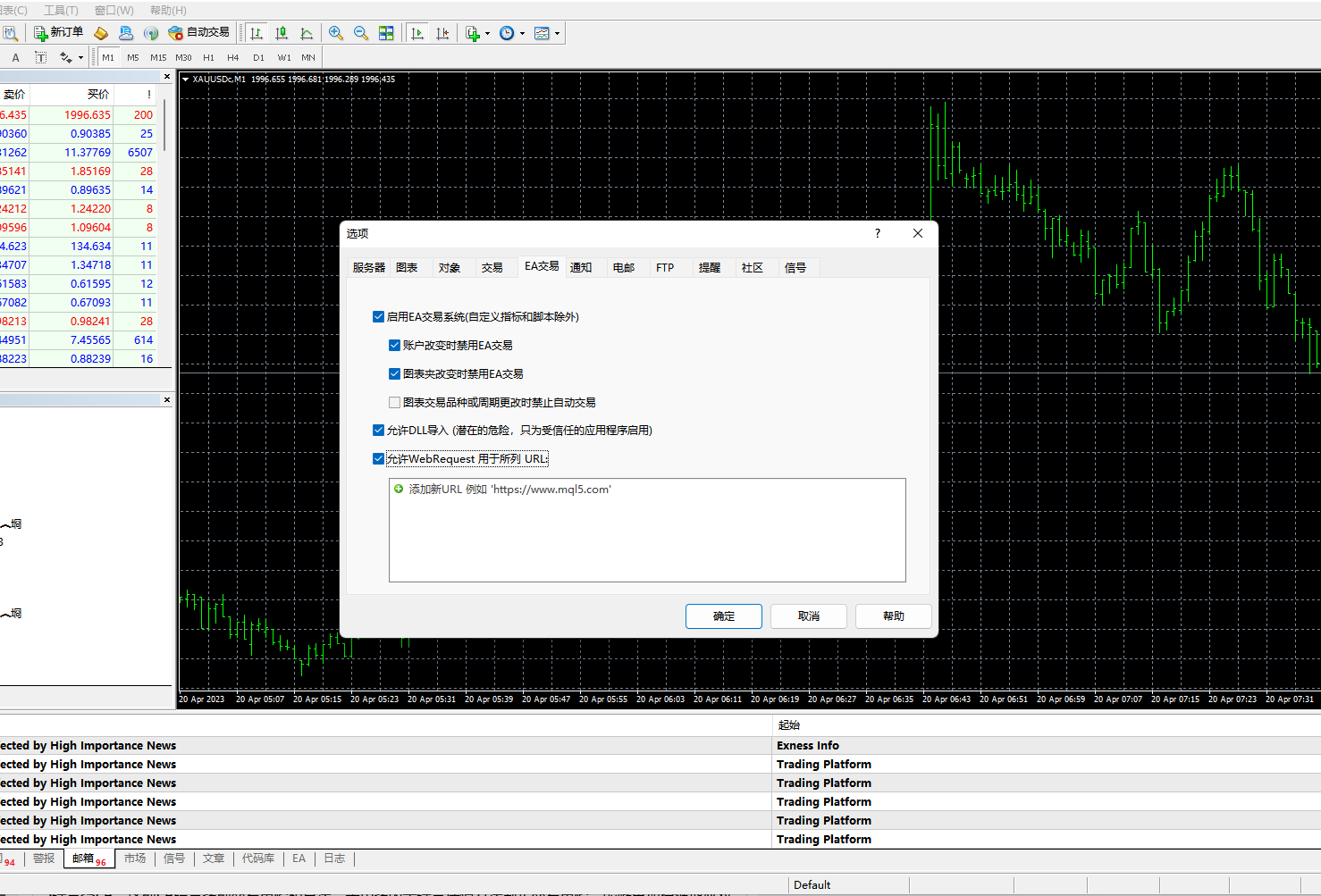
In the world of foreign exchange trading, an expert advisor (commonly known as EA) refers to an automated trading program that uses a predefined set of rules to place trades on your behalf. These EAs are installed on MetaTrader platforms—MetaTrader 4 and MetaTrader 5 being the most popular—allowing traders to automate their trading strategy and remove the need for emotional or manual decision-making.
EA systems can:
Analyze market data using built-in algorithms
Execute and manage orders automatically
Perform backtesting with historical price data
Operate 24/7 without human intervention
According to a 2024 review by Forex Academy, over 70% of new traders seek EAs within their first year to help control risk and improve timing.
Key Functions of a Forex EA
| Feature | Description | Benefit |
|---|---|---|
| Algorithm-based Trading | Executes trades using coded logic and indicators | Eliminates emotional decisions |
| Automated Order Execution | Places trades directly in MetaTrader | Speeds up reaction to market shifts |
| Backtesting Support | Simulates strategy over historical data | Validates strategy effectiveness |
| Parameter Customization | Users adjust inputs such as lot size or indicators | Tailors EA to individual goals |
“The trust factor matters,” says Elena Chu, founder of a trading bot review blog. “I only recommend EAs that provide verified results via platforms like Myfxbook or offer transparency in code and backtest reports.”
A reliable EA is usually endorsed by a track record:
Positive community feedback in forums such as ForexFactory
Awards from trading expos (e.g. London Forex Show)
Clear developer history and versioning
Yet, even with the rise in automated trading, experts advise caution. “People expect EAs to be miracle workers,” says David Meeks, a former JP Morgan algorithmic systems engineer. “They are tools. Good tools, yes—but you still need to monitor, test, and adjust.”
From retail traders seeking consistency to professionals managing complex strategies, trading robots now sit at the core of modern forex activity. Whether you are a cautious beginner or a data-driven expert, an EA might not promise profits—but it can definitely deliver precision.
2.How Many Types of EA in Foreign Exchange Trading?
Scalping EA in Forex Trading
Scalping EAs are designed for fast-paced action, targeting small pip gains from short-term price moves. These Expert Advisors execute dozens—or even hundreds—of trades per day, often closing positions in seconds or minutes. Execution speed is critical. Even a slight delay in order processing (latency) can ruin profitability.
Best For: Short-term traders who thrive on momentum
Requires: Low-latency broker, minimal spreads, no trade restrictions
Caution: Some brokers restrict or penalize scalping strategies
Quote:
"If you don’t have a solid broker and blazing-fast execution, scalping EAs will burn you faster than a Friday NFP spike."
— Jason Moore, Senior EA Developer, TradeLogic Labs
Grid EA Strategy Overview
Grid EAs place multiple buy and sell orders at set intervals (price levels), forming a “grid” across the market. This strategy doesn’t rely on predicting direction. Instead, it benefits from price bouncing between levels. It can be profitable in ranging markets but becomes risky in strong trends without a proper exit mechanism.
Common Traits of Grid EAs:
| EA Type | Order Strategy | Risk Level | Best Market Type |
|---|---|---|---|
| Standard Grid EA | Pending Orders | High | Sideways/Ranging |
| Hedging Grid EA | Long & Short Simultaneously | Medium | Choppy Volatile Pairs |
| Adaptive Grid EA | Dynamic Lot Sizing | Variable | Customizable |
Risk Warning: Without strong risk management, drawdowns can escalate quickly
Tip: Combine with stop-loss and capital limits for safety
Martingale EA Risk Factors
The Martingale EA doubles your trade size after every loss, assuming a win will come and cover all previous losses. On paper, it looks mathematically unbeatable. In reality? One bad streak can destroy your account. High drawdowns, huge lot sizes, and extreme volatility make this strategy dangerous if left unchecked.
Here’s how the risk stacks up:
Start small. Even $100 trades can balloon to $6,400 after six losses.
Keep lot size conservative relative to account balance.
Don’t use Martingale with volatile pairs unless you're crazy—or rich.
Best For: Traders with deep pockets and nerves of steel
Use With: Risk caps, tight exposure limits, demo accounts first
News-Based EA Performance
News-based EAs operate around major economic announcements like Non-Farm Payrolls, CPI, interest rates, and central bank speeches. These EAs are coded to trigger trades milliseconds after a data release, profiting from explosive price moves. But with great opportunity comes great risk: slippage, widened spreads, and erratic price gaps are common.
Performance Factor: Dependent on server speed and broker execution
Best Pairs: EUR/USD, GBP/USD, USD/JPY (due to high news impact)
Backtesting Note: Use historical news spikes to simulate conditions
Everyday Advice:
Running a news EA without a solid VPS and broker is like showing up to a Formula 1 race on a tricycle.
3.Which EA Fits Your Foreign Exchange Trading Strategy?
Trend-Following EA for Beginners
If you're just starting out in foreign exchange trading, trend-following EAs are one of the easiest ways to automate your trades. These bots typically use indicators like moving averages, breakout zones, and momentum shifts to decide on entry points and exit points. The logic is simple: ride the trend and exit before it turns. This method works best in clearly trending markets and keeps things easy to understand for beginners.
Supports basic risk management rules
Built around straightforward strategy execution
Easy to backtest using historical data
Doesn’t require real-time micromanagement
“Simplicity is your biggest strength when starting out. Trend-following strategies let you focus on the market, not the mechanics.”
— Brian Norwell, FX Systems Developer
High-Frequency EA for Experts
High-Frequency Trading (HFT) with EAs isn’t for the faint-hearted. These Expert Advisors are designed for advanced traders who understand the complexities of latency, server colocation, and real-time execution. Using techniques like scalping and arbitrage, HF EAs capitalize on small price inefficiencies that last only milliseconds.
Must be hosted on low-latency servers
Needs integration with premium data feeds
Regular algorithm optimization is essential
Better suited for deep liquidity pairs like USD/JPY or EUR/USD
These systems are high-maintenance but offer elite performance when fine-tuned by experts who understand algorithmic trading inside and out.
Swing Trading EA Features
Swing Trading EAs are ideal for traders looking to profit from medium-term market movements, typically holding positions for several hours to a few days. They combine pattern recognition, volatility tracking, and risk controls to automate a well-balanced strategy.
| Feature | Description | Why It Matters |
|---|---|---|
| Trailing Stop | Adjusts stop loss as price moves | Locks in gains during trend shifts |
| Stop Loss / Take Profit | Sets predefined exit levels | Manages losses and secures profits |
| Position Sizing | Calculates optimal trade size | Balances exposure on overnight holds |
| Volatility Filter | Avoids trades during chaotic periods | Improves risk-adjusted performance |
This EA style appeals to those who want a calmer approach to the market—no need to sit at your screen all day. Let the bot manage the automation, while you focus on refining your strategy features.
4.How to Use EA in Foreign Exchange Trading?
Installing EA on MetaTrader
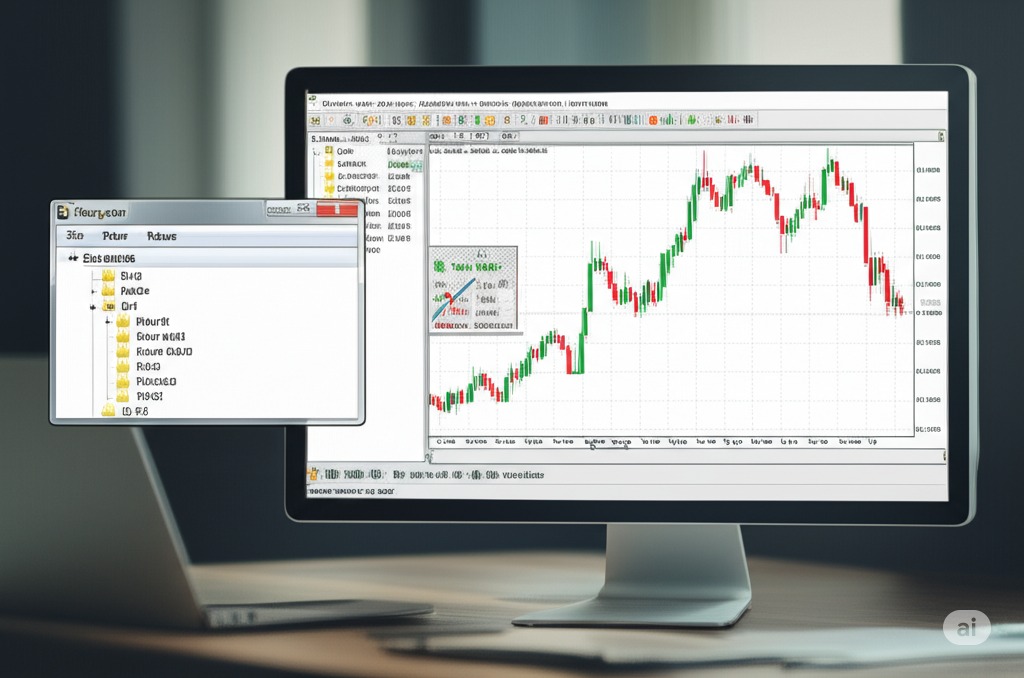
Installing an EA on MetaTrader 4 or MetaTrader 5 is the first real step in using automated trading tools effectively. Whether you're working on a demo or live account, following the right setup process helps you avoid unnecessary errors and performance issues.
Step-by-step installation guide:
Open MetaTrader terminal and go to
File > Open Data Folder.Navigate to the
MQL4 > Expertsfolder (orMQL5 > Expertsfor MT5 users).Copy and paste your EA file into this directory.
Restart the MetaTrader platform.
On the left panel (Navigator), expand “Expert Advisors.”
Drag your EA onto the desired chart.
In the pop-up box, check “Allow live trading” and enable AutoTrading on the toolbar.
“A well-installed EA is like a well-oiled machine—it just works. Most issues stem from skipping the basics.”
— Anna Royce, Forex Automation Analyst
Here’s a breakdown of file paths based on platform version:
| Platform | Folder Path | File Type |
|---|---|---|
| MT4 | MQL4 > Experts | .ex4 |
| MT5 | MQL5 > Experts | .ex5 |
| Both | File > Open Data Folder | Source code |
Adjusting EA Parameters Safely
Once your EA is installed, don’t just hit "go" and hope for the best. You need to tune the parameters to align with your trading strategy and risk profile. This is where things get technical—but also where real performance happens.
Key parameters you should adjust:
Lot size – Defines trade volume; too high can blow your account.
Stop Loss / Take Profit – Sets your risk-reward balance; critical for risk management.
Trailing stop – Protects profit while minimizing emotional decision-making.
Indicator settings – Tailor the strategy logic for trend, breakout, or reversal systems.
Trading session filters – Control when the EA is allowed to open trades (e.g., avoid news spikes).
Make it a habit to backtest every change. Even minor tweaks can significantly impact results. And hey, don’t let your EA turn into a wild card by running unoptimized.
Pro tip: Save each configuration as a preset. That way, if one setup crashes and burns, you don’t have to start over from scratch.
5.EA Backtesting: What Matters Most?
Historical Data for EA Testing
Good testing starts with good data. You wouldn’t judge a cleaning agent on stained fabric shades without knowing their past condition, right? The same goes for EAs and market history.
Historical methods: Use tick-level or one-minute data, never daily. More detail = better results.
Cleaning agents: Just as some agents work better on certain shades, EAs perform differently on various market structures.
Past results: Look for reactions to high-impact events, trend reversals, and range-bound conditions. Were there sudden material damages in volatile periods?
Don’t forget to filter out bad ticks and spikes—dirty testing data = distorted results.
Modeling Quality and Drawdown
Now we’re talking mechanics. Modeling quality and drawdown analysis are the heart of risk management.
Drawdown analysis: How deep and how long? If an EA loses 40% before bouncing back, can your wallet handle it?
Quality metrics: Focus on metrics like profit factor, Sharpe ratio, and win/loss ratios. These determine overall cleaning quality—or rather, EA reliability.
Degradation modeling: Just like certain materials wear out over time, EAs degrade in changing market conditions. Simulate those environments to get a real performance outlook.
Predictive modeling: Combine lifespan prediction and risk assessment to know how long your EA will stay effective.
“An EA with a 90% win rate means nothing if its average loss wipes you out,” — Travis J., FX Quant Analyst.
Real vs Simulated EA Results
Here’s where a lot of new traders get burned. Just because your EA crushed it in the demo doesn’t mean it’ll shine in the real world.
Simulated results: These are based on ideal conditions—no slippage, instant fills, tight spreads.
Real results: Factor in broker delays, requotes, and variable spread environments. That’s real-life grime.
Comparison analysis: Use model validation techniques to understand where and why your testing data might mislead.
Outcome analysis tip: Always backtest and forward test. Validate with at least 3 months of real-market behavior before you go live.
Here’s a comparison of key stats:
| Metric | Real Results | Simulated Results | Difference (%) |
|---|---|---|---|
| Avg Profit Per Trade | $3.89 | $5.24 | -25.8% |
| Execution Slippage | 1.5 pips | 0.0 pips | N/A |
| Max Drawdown | 22.1% | 14.4% | +53.5% |
| Win Rate | 61.3% | 68.9% | -11.0% |
Simulated outcomes can be overhyped. Real performance is what pays the bills.
6.Mistakes to Avoid When You Use EA
Over-Optimizing EA Settings
Trying to squeeze out perfect performance from your EA? You might be over-optimizing. This happens when you endlessly tweak parameters to fit historical data, creating what’s known as overfitting. Your EA may crush backtests but tank in live trading because it was only tailored for past scenarios.
This usually stems from misusing optimization tools in platforms like MetaTrader 4 or 5. If you’re adjusting your EA’s algorithm until it’s spotless on a chart, you’re not improving your strategy—you’re designing a fantasy.
Real traders know this trick:
Always test on out-of-sample data.
Include forward testing in your process.
Focus on robust performance, not perfection.
Here’s a quick comparison to show what over-optimization can look like:
| Metric | Optimized EA (Overfit) | Robust EA (Balanced) |
|---|---|---|
| Backtest Win Rate (%) | 96.2 | 72.5 |
| Live Win Rate (%) | 43.1 | 70.4 |
| Max Drawdown (%) | 35.0 | 14.6 |
The takeaway: Don't chase the "perfect" backtest. You’re building a trader, not a time machine.
Ignoring Market Condition Changes
A static EA in a dynamic market is like showing up to a snowstorm in flip-flops—you're not prepared. Many traders set up an EA once and forget it, but market conditions change constantly. If you're not adjusting your strategy, you're asking for trouble.
Here’s what can go wrong:
Trend shifts: A trending EA gets wrecked in a ranging market.
Volatility spikes: Sudden price swings throw off tight stop losses.
Economic indicators: Unexpected news events disrupt pattern-based algorithms.
You need to build strategy adaptation into your trading routine. This includes analyzing regime changes, adjusting your EA’s risk parameters, and running regular market diagnostics.
Industry insight:
"Markets evolve fast. If your EA isn’t evolving with them, you're just trading yesterday's playbook." — Aiden Clark, Senior FX Strategist
So keep tabs on the big picture. Your EA should be smart, but you still need to be smarter.
7.Best EA to Buy for Foreign Exchange Trading?
Top-Rated Forex EA in 2025
Finding the top-performing Expert Advisor in 2025 isn't just about who has the flashiest marketing — it's about hard numbers, proven profitability, and reliable backtesting. We analyzed the most popular EAs on the market using key performance metrics like return rates, drawdown levels, and live trading consistency.
Here are some of the top contenders:
| EA Name | Profitability (%) | Max Drawdown (%) | 2025 Review Score |
|---|---|---|---|
| FX Titan Pro | 68.7 | 9.2 | 4.6 / 5 |
| Quantum Scalper | 74.5 | 6.8 | 4.8 / 5 |
| Vortex AI | 62.1 | 5.5 | 4.5 / 5 |
| StormHunter Elite | 70.3 | 8.1 | 4.7 / 5 |
These results were gathered from user backtests and verified forward testing reports. If you're after high profits with reasonable risk, Quantum Scalper stands out — especially for those with experience using scalping strategies in volatile markets.
Free vs Paid EA Comparison
Okay, let’s be honest — free EAs sound awesome. Who doesn’t love free stuff? But once you get into serious trading, free might start costing you more than you think.
Free EA
Pros:
Great for beginners who want to learn
No upfront cost
Cons:
Usually not optimized
Little to no support
Risk of bugs or abandonment
Paid EA
Pros:
Well-developed with advanced features
Customer support and regular updates
Better long-term stability
Cons:
Higher upfront investment
Some vendors still oversell hype
Bottom line:
If you're testing or experimenting, go free. But if you're managing real capital, a paid EA with a proven track record is the smarter choice. It’s like choosing between a demo car and a reliable daily driver — both serve a purpose, but one is made to last.
Where to Safely Buy EA
When it's time to buy an EA, don’t just Google and click the first link. There are real scams out there, and one wrong purchase can wreck your trading experience.
Here’s how to stay safe:
Use Trusted Platforms Only
Go with marketplaces like MQL5, Myfxbook, or FX Blue. These sites offer user reviews, transaction protection, and often vendor identity verification.Research the Vendor
Always check how long the vendor has been active, what kind of reviews they have, and how responsive they are to issues. If you see too many 5-star reviews with no details — be cautious.Look for Refund Policies
Reputable sellers often offer a trial or a 30-day refund. If there’s no refund or test version, that’s a red flag.
“A smart trader buys EAs like they’d buy a car — test drive, check reviews, and verify the seller,” says Oliver Matthews, lead analyst at FXSecureHub.
Pro tip: Avoid Telegram groups and sketchy forums promising “next-gen” EAs for dirt-cheap prices. If it looks too good to be true, it probably is.
Conclusion
Picking the right EA in foreign exchange trading is a lot like hiring a personal assistant—you need one that truly gets how you work. We've covered the main types, how they function, and the smart way to use and test them. Now it’s your move.
As Warren Buffett said, “Risk comes from not knowing what you're doing.” So take your time, test it smart, and choose an EA that matches your game plan—not someone else’s.
Yes, but with limitations. Most EAs are designed for MetaTrader 4 or 5, which run best on desktop. Some mobile apps allow limited control, but you typically need a PC or VPS to run the EA continuously.
Scalping EA – Makes quick trades for small profits.
Grid EA – Uses a grid of orders spaced at intervals.
Martingale EA – Doubles trade size after losses to recover.
News EA – Trades based on economic news releases.
It depends on the EA and how it's used. Reputable EAs with strong backtesting results and good risk management features can be relatively safe. However, blindly relying on any automation without understanding the strategy is risky.
Minimum: Some EAs can be used with as little as $100, but $500–$1,000 is more realistic.
Recommended: At least $1,000–$2,000 if you want to allow for risk management and avoid margin calls.
Check for:
Verified backtesting results over multiple years.
Live trading performance from real accounts (not demos).
User reviews from trusted sources or trading forums.
Free EAs can be useful, especially for learning or testing strategies. However, they may lack proper updates, support, or robust risk management. Paid EAs often offer better optimization, reliability, and customer support — though not all are worth the cost.
Yes, many EAs allow users to adjust parameters like stop-loss, take-profit, lot size, or trading hours. Some even let you modify the code if it’s not locked. This flexibility makes them valuable tools when paired with your trading plan.

