


A clean mobile screen can make trading feel simple. The underlying decision is not. The app controls what you see and how you place an order, but the broker and legal entity determine the account you hold, the products you can access, the trading costs, and the protections or complaint routes that may apply.
That distinction matters when comparing the best forex trading apps in 2026. MetaTrader 5, cTrader, and TradingView can connect to participating brokers; they are not substitutes for checking the broker. OANDA Mobile, IG Trading, and SaxoTrader are tied to their respective providers, and their availability and features still vary by country.
For a beginner, the strongest choice is usually the app that makes position size, order type, stop placement, and total cost hard to misunderstand. For a professional, the priority shifts toward advanced orders, cross-device continuity, detailed margin information, alerts, and compatibility with a wider desktop or automated workflow.
Method note: This selection is an editorial fit assessment based on current public documentation. It is not a performance or speed test, an app-store rating roundup, or a claim that one app is best in every country.

The quick answer
OANDA Mobile and IG Trading are sensible beginner shortlists where the relevant broker entity accepts the reader and offers the intended product. Both combine dealing, charts, alerts, and demo access in one provider-controlled environment. TradingView Mobile is a strong chart-first option for learning and paper trading, but live mobile trading depends on whether the chosen broker is supported in the app.
Professional traders should compare cTrader Mobile, SaxoTrader, and MetaTrader 5. cTrader stands out for explicit mobile order controls and a broader cTrader workflow. SaxoTrader is built for multi-asset trading and more detailed portfolio and risk oversight. MT5 remains useful when broker compatibility and a familiar desktop-to-mobile ecosystem matter, although the mobile app is not a full replacement for desktop automation.
TradingView and MT5 sit between the two groups. Either can serve an improving trader well, provided the chosen broker, account, and mobile feature set match the actual workflow.
| App | Platform type | Strongest fit | Beginner fit | Professional fit | Main limitation to check |
|---|---|---|---|---|---|
| OANDA Mobile | Broker app | Forex-first mobile workflow | Strong where available | Moderate | Entity, product, and regional availability |
| IG Trading | Broker app | Integrated dealing, research, and alerts | Strong where available | Strong for discretionary trading | Regional product and stop-feature differences |
| TradingView Mobile | Charting and broker-connect platform | Analysis, paper trading, supported broker connection | Strong for practice | Strong for chart-led traders | Not every broker is available on mobile |
| MetaTrader 5 | Multi-broker platform | Broker choice and desktop/mobile continuity | Moderate | Strong | Mobile cannot replace every desktop or automation task |
| cTrader Mobile | Multi-broker platform | Order control and cTrader ecosystem | Moderate | Strong | Requires a supporting broker; features can vary |
| SaxoTrader | Broker platform | Multi-asset, risk, and portfolio workflow | Moderate | Strong | Availability, pricing tier, and products vary by country |
The table is a shortlist, not a league table. A well-matched app connected to an unsuitable or unauthorized provider is still the wrong choice. If the underlying concepts are unfamiliar, begin with the easycashbackfx guide to learning forex trading before comparing live accounts.
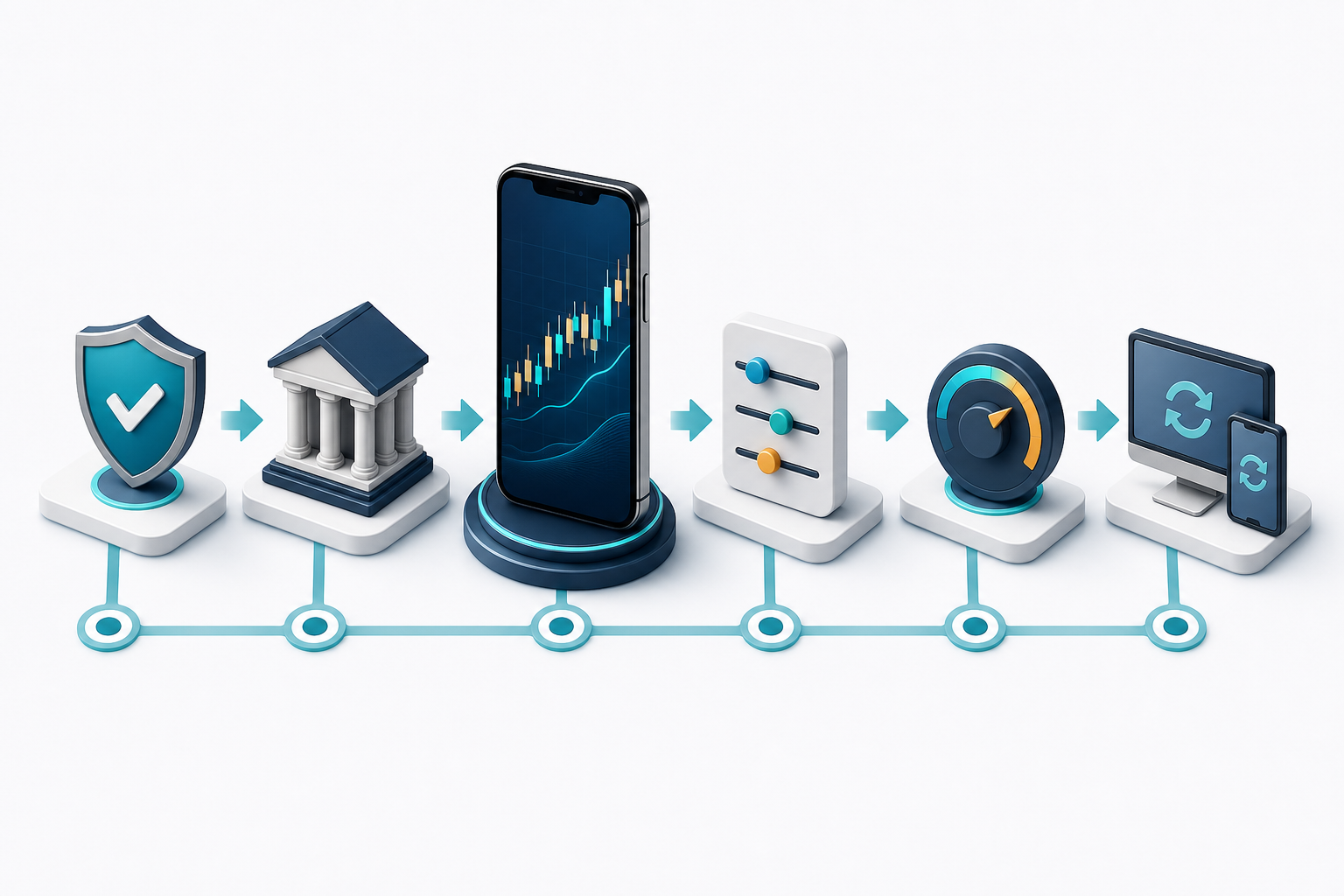
What beginners and professionals need from an app
The difference is less about experience labels than about operational complexity.
A beginner needs a clear trade ticket, an understandable way to set size, visible margin impact, stop-loss and take-profit controls, and a demo environment that behaves similarly to the live workflow. The app should make it easy to see whether size is expressed in units, lots, or cash per point. A trader who misunderstands that field can take far more risk than intended even when the market view is correct.
Useful beginner features
Demo or paper trading without pressure to deposit
A small, readable watchlist
Position sizing in units or a clearly explained lot system
Stop-loss and take-profit fields on the order ticket
Price and economic-event alerts
Plain account, fee, and margin information
Two-factor authentication or equivalent account security
Easy access to trade history and support
A professional trader may accept a denser interface in exchange for control. Relevant features can include stop-limit orders, trailing stops, one-tap or one-click modes, chart trading, price and margin alerts, synchronized watchlists, multi-asset access, market depth, portfolio exposure, and an orderly handoff to desktop, web, API, or algorithmic tools.
More controls do not automatically make an app safer. One-tap trading, for example, can reduce the delay in sending an order, but it can also remove a confirmation step. Advanced users should decide whether that speed is worth the higher chance of an input error on a small screen.

Six forex apps worth shortlisting
OANDA Mobile: a clear forex-first option for beginners
OANDA’s official US mobile documentation describes an iOS and Android app with customizable default units, risk and profitability settings, chart trading, alerts, an economic calendar, and more than 50 technical tools. It also supports switching between demo and live accounts. That combination makes it a useful starting point for a trader who wants to learn one integrated workflow rather than assemble separate charting and execution tools.
The app is especially relevant to traders who prefer sizing in units. A unit-based ticket can feel more concrete than lots, although the user still needs to understand pip value and account-currency conversion. The easycashbackfx pip calculator can help translate a planned move and size into account-currency terms.
The caveat is regional scope. OANDA operates through different entities, and instruments, platforms, funding methods, protections, and even product type can differ. Treat the app page for the applicable local entity—not a page found for another country—as the source of truth.
Best for: A beginner or discretionary forex trader who wants charts, alerts, account management, and execution in one app.
Check before choosing: Local entity, currency-pair list, order types, financing, deposit methods, and whether the demo mirrors the intended live platform.
IG Trading: integrated research and dealing
IG’s international platform documentation lists dealing tickets, charts, news, analysis, alerts, signals, and customization. Its mobile material describes demo trading, chart-based dealing, stop and limit controls, alerts, watchlists, and advanced order settings. This makes the app appealing to a beginner who wants research close to the order ticket and to an experienced discretionary trader who manages positions away from a desk.
IG also documents guaranteed stops in some contexts. That label needs careful reading: eligibility, market coverage, premium, trigger conditions, and regional availability may differ. A standard stop can be affected by gaps or fast markets; a guaranteed stop is a separate broker feature, not a property shared by all apps or accounts.
Best for: Traders who value an integrated stream of research, alerts, charts, and dealing.
Check before choosing: The IG entity serving the country, which products are offered, the retail investor risk disclosure, stop types and premiums, and overnight financing.
TradingView Mobile: chart-first practice and supported broker connections
TradingView is different from a broker app. It is primarily a charting and analysis platform that can connect to supported brokers. Its official mobile instructions explain how to open the broker list from a chart and connect an account. TradingView also warns that not every broker available on desktop is available on mobile.
For beginners, paper trading is the main attraction. It lets the user rehearse order entry with virtual funds and learn how a chart-led workflow behaves before adding broker and money risk. For experienced traders, the value is familiar charting and the ability to place and manage trades through a supported integration. TradingView’s broker guide also documents broker comparison and paper trading.
The important limitation is fragmentation. A subscription to TradingView does not create a brokerage account, and a broker connection does not make all symbols, orders, or data identical across brokers. Data entitlements, exchange subscriptions, order routing, and mobile support must be checked separately.
Best for: Learners who want paper trading and traders whose analysis begins with charts.
Check before choosing: Mobile broker support, tradable symbols, order types, market-data costs, and whether alerts require a paid plan.

MetaTrader 5: broker compatibility and a familiar mobile companion
MetaTrader 5 is a platform used by participating brokers rather than a broker itself. Official MT5 mobile documentation lists real-time charts, market and pending orders, trade history, 30 technical indicators, analytical objects, news, and account notifications on iOS and Android.
Its practical strength is broker portability within the MT5 ecosystem. A trader can search for a broker’s server and connect an existing account, subject to the broker’s support. The mobile app is well suited to monitoring, manual order management, and chart checks.
The word “ecosystem” is important. Strategies, custom indicators, expert advisers, backtesting, and VPS arrangements live mainly in the broader desktop and hosted workflow. A professional who uses automation should verify what continues running when the desktop computer is off and what the mobile app can only monitor. Never assume that installing an app on a phone activates or hosts a trading robot.
Best for: Traders who want access to an MT5 broker and a recognizable companion to desktop trading.
Check before choosing: The exact broker server, whether the account uses hedging or netting, symbol naming, contract specifications, and the boundary between mobile and desktop functions.
cTrader Mobile: strong order handling for active traders
cTrader’s mobile order documentation lists market, limit, stop, and stop-limit orders. It also covers stop-loss, take-profit, trailing protection, chart trading, and order modification. That explicit order toolkit makes cTrader worth comparing for active discretionary traders who want more control than a basic buy/sell ticket provides.
The platform spans mobile, web, Windows, and Mac. For a professional, continuity matters: watchlists, accounts, and workflows should feel related across devices even when the precise layout changes.
As with MT5, cTrader is not the broker. Pricing, slippage, available symbols, margin, and execution policies come from the connected provider. Copy features and algorithmic tools add separate layers of risk; the presence of a strategy marketplace or automation function is not evidence that a strategy is suitable.
Best for: Experienced traders who prioritize stop-limit orders, trailing protection, and a coherent multi-device platform.
Check before choosing: Supporting broker, server and account availability, order behavior, protection rules, copy fees, and desktop or cloud automation requirements.
SaxoTrader: a professional multi-asset workflow
Saxo describes SaxoTrader as its more advanced platform across web, mobile, and desktop. Its official page lists forex alongside options, CFDs, futures, commodities, stocks, ETFs, funds, and bonds, while noting that product availability varies by country. Documented tools include market, limit, stop, and algorithmic orders; technical indicators; chart trading; margin alerts; portfolio exposure; performance views; and advanced desktop features.
That breadth makes the platform more suitable for a professional who sees forex as one part of a wider portfolio. The mobile app can be a control surface for positions and alerts, while the web or desktop platform carries more demanding analysis.
Breadth can also be a drawback for a new forex-only trader. More products and panels increase the amount of information to interpret. Pricing tiers, market-data subscriptions, product eligibility, and minimum trade sizes should be reviewed for the applicable country.
Best for: Experienced, multi-asset traders who want portfolio and risk information in the same ecosystem.
Check before choosing: Local product list, account eligibility, pricing tier, data subscriptions, margin methodology, and which advanced tools are desktop-only.

How to choose the best forex trading app for your account
Start with the broker entity, not the app-store page
An app-store listing shows that software can be downloaded. It does not establish that the broker is authorized to serve a particular resident or that a specific account has local protections.
Write down the broker’s legal name, trading name, regulator, license or registration number, website domain, and the entity named in the account agreement. Then confirm those details on the domestic regulator’s register. IOSCO advises investors to check with the relevant national authority before investing and notes that the absence of an alert does not prove a firm is authorized. The UK’s FCA Firm Checker guidance is one example of the type of official register and permission check readers should seek in their own jurisdiction.
Watch for clone firms. A fraudulent site may copy the name or license number of a real firm while using a different domain, phone number, or payment account.
Confirm the exact mobile workflow
Do not assume that a platform supported by a broker on desktop is supported in the mobile app. TradingView states this limitation directly, and broker support for MT5 or cTrader can also be account- or server-specific.
In a demo account, rehearse these tasks:
Find the correct symbol and contract specification.
Enter a small position size without relying on a saved default.
Place market, limit, and stop orders.
Add and modify stop-loss and take-profit levels.
Cancel a pending order.
Reconnect after closing the app or changing network.
Find the transaction history and export or record the order ID.
Locate the support and trade-query process.
A polished home screen matters less than whether those actions remain clear under time pressure.
Compare total cost, not the advertised spread
The visible spread is only one component. Depending on the account and trading style, the total can include:
Spread
Per-side or round-turn commission
Overnight financing or swap
Currency conversion
Market-data or platform subscriptions
Deposit or withdrawal charges
Inactivity or administration fees
Slippage between requested and executed price
Estimate cost using the pairs, size, holding period, and session you actually expect to trade. A raw-spread account can be cheaper for one pattern and more expensive for another once commission is included. A trader who holds positions overnight may care more about financing than a small difference in the daytime spread.
Inspect risk controls as operational tools
A stop-loss is an instruction, not a promise that every market condition will produce the requested exit price. Read how the broker handles gaps, fast markets, rejected amendments, margin close-out, and guaranteed stops if offered.
Also check:
Whether stop distance is shown in price, pips, percentage, or cash
Whether projected loss is visible before submission
Whether one-tap trading can be disabled
Whether biometric login still protects sensitive account changes
Whether withdrawals require additional authentication
Whether price, margin, and economic-event alerts are server-side or device-dependent
What happens if the phone loses connectivity during order submission
Score the app against a real workflow
Use a simple 100-point worksheet:
Broker authorization and entity fit: 30
Order and risk controls: 20
Total cost for the intended strategy: 20
Reliability and recovery workflow in demo: 10
Mobile-to-desktop continuity: 10
Security and account controls: 5
Research, education, and support access: 5
The weighting is deliberately conservative. Regulation does not make leveraged trading safe, but an attractive feature set should not outweigh an entity the trader cannot verify. The easycashbackfx broker comparison can organize an initial shortlist, but each legal entity and permission should still be checked on the applicable regulator’s official register.

Costs, cashback, and the role of easycashbackfx
Forex rebates are a cost mechanism, not a trading signal. Under the model described in the easycashbackfx guide to forex cashback and rebates, a broker pays a volume-based commission when an eligible account is linked, and a portion is returned to the trader. The specific rate, payment method, account eligibility, and broker terms must be checked before relying on the calculation.
A rebate can reduce effective transaction cost. It cannot turn a negative-expectancy strategy into a safe one, prevent slippage, or protect capital from leverage. It may also make frequent trading feel cheaper, which is not a reason to trade more.
Compare the broker’s normal spread, commission, financing, and execution first. Then use the forex rebate calculator for the intended volume and verify that linking the account does not change conditions. Keep screenshots or written terms for the applicable broker and account type.
For planning, use a position-size calculator before a rebate calculator. Risk per trade is the first decision; any eligible cost return comes afterward.
A safer setup sequence
Verify the provider. Match the legal entity and contact details against the domestic regulator’s register.
Install from an official source. Follow the broker or platform’s verified website to the official app store; do not use APK mirrors or links from unsolicited messages.
Start with demo or paper trading. Learn symbol names, size units, margin, stops, and order status without real funds.
Secure the account. Use a unique password, multifactor authentication, device lock, and withdrawal protections.
Set conservative defaults. Disable one-tap trading initially, use a small default size, and make stop and take-profit fields visible.
Rehearse failure cases. Test a lost connection, a rejected order, an expired order, and a notification that arrives late or not at all.
Review costs in writing. Save the spread or commission schedule, overnight financing method, and withdrawal rules.
Fund only if eligible and comfortable with loss. Start below the maximum amount you can afford to lose; do not use borrowed or essential money.
Review actual statements. Compare intended size and price with executed trades and investigate discrepancies promptly.
The CFTC’s forex fraud and risk advisory warns that forex is volatile, that margin can produce losses beyond deposited funds in some arrangements, and that traders should not use money they cannot afford to lose. Local rules and negative-balance protections differ, so the account agreement matters. An economic calendar can help identify scheduled volatility, but it cannot predict the market reaction or prevent gaps.
Which app should you choose?
Choose OANDA Mobile or IG Trading if you are a beginner who wants a single-provider workflow and the relevant local entity is available. Compare both in demo using the same position-size and stop-placement exercise.
Choose TradingView Mobile if charting and paper practice come first, but confirm that the intended broker and order types work on mobile before paying for data or a plan.
Choose MetaTrader 5 if broker compatibility and a familiar mobile companion to an MT5 desktop setup are priorities. Keep automation expectations tied to the actual desktop or hosted configuration.
Choose cTrader Mobile if advanced manual order handling and continuity across the cTrader ecosystem matter.
Choose SaxoTrader if forex is part of a multi-asset portfolio and detailed margin, exposure, and reporting tools justify the extra complexity.
Do not choose an app because an influencer shows a profitable screen, because the app offers unusually high leverage, or because someone promises to manage the account through a messaging service. The best app is the one connected to a verified provider, suited to the trader’s actual workflow, and configured to make risk visible before an order is sent.