




Table of contents
Trading in the Forex market can feel like chasing a moving target. The MQL4 Trend Indicator EA is your tool to take some of that pressure off. By automating the process of spotting trends, you get more time to focus on strategy rather than constant monitoring. Think of it as your trading assistant—always alert, always on the lookout for opportunities.
Trend indicators are like road signs in a busy city—they point you in the right direction. Using them in your EA lets you automate decisions based on clear market signals, reducing human error and emotional swings. "Let the system do the heavy lifting," they say, and that's exactly what an EA powered by trend indicators can do for you.
As you dive into this article, you’ll learn how to use MQL4 Trend Indicator EA to create smarter, faster trading strategies. We'll break things down so you can get results without the frustration. After all, trading smarter beats trading harder.

Introduction to MQL4
MQL4 (MetaQuotes Language 4) is the programming language used on the MetaTrader 4 (MT4) platform, which is one of the most popular trading platforms worldwide. For those seeking to take their trading to the next level, MQL4 offers the flexibility to create custom Expert Advisors (EAs), indicators, and scripts that can automate trading and enhance trading strategies. The beauty of MQL4 lies in its ability to give traders control over their trading processes, eliminating the need for constant market monitoring. Instead, traders can set up their systems to make decisions and execute trades on their behalf, 24/7.
At its core, MQL4 is a structured programming language that is easy to learn for anyone with some basic knowledge of programming. It shares similarities with other programming languages but is designed specifically for the financial market, which means it has built-in tools and functions for trading. The language allows you to create algorithms that can evaluate market conditions, analyze historical data, and execute trades automatically based on predefined rules.

To fully harness the power of MQL4, you need to familiarize yourself with its key elements, such as syntax, data types, variables, and functions:
Syntax: Just like other programming languages, MQL4 follows a strict set of rules for writing code. Understanding the syntax is essential for building effective strategies.
Data Types: MQL4 supports various data types like integers, floats, strings, and arrays that you will use to store and manipulate information such as prices, time, and trade volume.
Variables: These are the containers that store values like the current market price or trading volume. You will need to define variables in your code to track important values and conditions.
Functions: Functions are essential building blocks in MQL4. They allow you to create reusable pieces of code to perform specific tasks, such as calculating indicators or opening trades.
In the context of Expert Advisors (EAs), MQL4 enables you to define custom strategies that can execute trades based on a variety of indicators and market conditions. Whether you are using moving averages, RSI (Relative Strength Index), or more complex strategies involving multiple indicators, MQL4 allows you to program these strategies into your EA. Once set up, your EA will automatically analyze the market, recognize trading opportunities, and place orders accordingly, with minimal human intervention.
An important concept within MQL4 is the use of the library, which contains pre-written functions and tools that can save you time in the development process. For example, libraries often contain functions for common tasks such as checking whether there is enough margin to place a trade or determining whether the market is trending. By utilizing these resources, you can focus more on building the logic for your strategy rather than reinventing the wheel.
When creating custom indicators, MQL4 allows you to build tools that visualize market conditions, like trends, momentum, or volatility, directly on your charts. These custom indicators can be tailored to suit your unique trading style and strategy. Whether you need an indicator that marks key support and resistance levels or one that helps identify trend reversals, MQL4 offers the flexibility to create exactly what you need.
Here are some of the key elements you will encounter when working with MQL4:
Indicator Development: Custom indicators give you the power to create visual tools for market analysis, helping you better understand market behavior and make informed decisions.
Expert Advisors (EAs): EAs automate your trading by executing trades based on the conditions you set. EAs can be as simple as moving average crossovers or as complex as multi-strategy systems combining various indicators.
Scripts: These are short programs designed to perform one-time actions, such as placing orders or adjusting an open position, which makes them useful for traders who prefer a quick solution to a single task.
As you become more proficient in MQL4, you will find that the sky is the limit when it comes to building sophisticated, automated trading systems. A common approach for beginners is to start with simpler scripts and indicators, gradually progressing to full Expert Advisors (EAs). This step-by-step approach allows you to build confidence and understand the intricacies of the language, while also enabling you to create more advanced tools as you progress.
Experts in the trading community emphasize starting with a solid understanding of the basic components—scripts and indicators—before diving into the development of more complex EAs. By mastering the basics, you will be in a much stronger position to create trading strategies that truly work for you.
In summary, MQL4 is a powerful and flexible tool for traders who want to automate their strategies and take control of their trading. By learning the language and understanding how to utilize Expert Advisors, indicators, and scripts, you can design a system that works tirelessly for you, making your trading process more efficient and effective.
How Do Trend Indicators Work?
Trend indicators are like your trading compass, guiding you through the market’s twists and turns.

The Basics of Trend Analysis
Trend analysis is the backbone of identifying price direction and market momentum. By understanding market patterns, traders can determine whether the market is in an uptrend, downtrend, or sideways. Key concepts like support, resistance, and volatility guide the decision-making process.
Recognize a trend: Look at price movements and identify if they’re going up or down.
Track patterns: Find recurring formations like triangles or channels on charts.
Consider momentum: Strong price movement typically signals a trend continuation.
How Trend Indicators Identify Market Movements
Trend indicators give you the tools to predict where the market might head next. By using indicators like moving averages or the MACD, they help you confirm the current trend and signal potential reversals. Indicators don’t just guess, they rely on historical data. As the market moves, these tools calculate trends based on price, volume, and time, helping you get a clearer picture of what’s going on. For example, a moving average smooths out price data to show the average price over time, helping you track price direction without the noise.

Types of Trend Indicators and Their Uses
Different indicators can give you unique insights into market trends. Each one has its strengths and is suited for different market conditions. Here's a quick look at some of the most popular:
Moving Averages: Smooth price data to show trends over time.
MACD (Moving Average Convergence Divergence): Shows the relationship between two moving averages to signal buy/sell opportunities.
RSI (Relative Strength Index): Helps identify overbought or oversold conditions, signaling potential trend reversals.
Bollinger Bands: Measures volatility and helps identify periods of high or low market activity.
Stochastic Oscillator: Identifies momentum and potential price reversals when the market is overbought or oversold.
By knowing when and how to use these indicators, you’ll be able to spot trends earlier and make smarter trading decisions.
In summary, trend indicators are your key to navigating the complexities of the market. They help you understand price movements and provide clear signals to guide your trades. Keep reading to dive deeper into choosing the right indicators for your MQL4 Trend Indicator EA!
Which Indicators to Use?
In this cluster, we dive into choosing the right trend indicators for your MQL4 Trend Indicator EA. The right indicators can help you make smarter trading decisions, whether you're confirming trends or spotting new opportunities.

Moving Averages: The Classic Indicator
Moving averages (SMA, EMA, WMA) are foundational in technical analysis. They smooth out price data, helping identify trends. By using crossover points between short- and long-term averages, traders can spot entry and exit points. Though they lag behind the price, moving averages still play a vital role in identifying the overall market direction.

Relative Strength Index (RSI): A Trend Confirmation Tool
The RSI helps measure market momentum. This oscillator signals whether a market is overbought (above 70) or oversold (below 30). It’s often used to confirm trends or spot reversals by observing divergence or convergence with price movements. It’s a great tool to spot hidden trends or confirm existing ones.
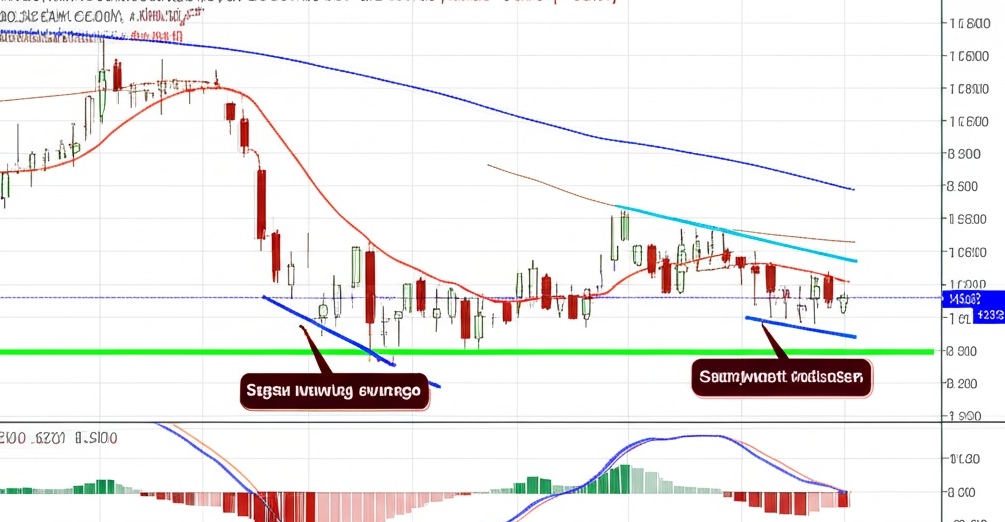
MACD: Measuring Momentum in Trends
The MACD is a momentum indicator that shows the relationship between two Exponential Moving Averages (EMAs). By analyzing the signal line and histogram crossings, traders can track momentum shifts. It’s often used to validate the strength of trends and predict reversals through divergence or crossover.
Combining Indicators for Better Signals
Rather than relying on a single indicator, combining indicators can provide more reliable signals. By using multiple indicators to confirm trends and reduce false signals, you can improve your trading strategy. For example, combining the RSI for momentum and the MACD for trend strength creates a more solid system for accurate decision-making.
How to Program an EA?

Creating an Expert Advisor (EA) in MQL4 is an exciting journey that lets you automate trading decisions based on predefined strategies. The process involves a deep understanding of the MQL4 language and the components that make up a functional EA. By breaking it down step by step, you will learn how to bring your trading strategy to life.
To begin programming an EA, the essential components to understand are the OnInit(), OnTick(), and OrderSend() functions. These are the building blocks of any trading robot. The OnInit() function is where you set up your initial conditions for the EA, such as initializing variables, defining indicators, and preparing everything before the trading process starts. This is essentially your EA’s “setup” phase.
Once the initialization is complete, the OnTick() function becomes the heart of the EA. It is called every time the market ticks or changes price, and it is here where the EA executes trading logic based on indicator signals. Think of it like your EA listening to the market, waiting for the right signal to make a move. Whether you are using simple trend indicators or more complex strategies, this function decides when to enter or exit trades.
For making trades, OrderSend() comes into play. This function is responsible for placing market orders, setting stop loss, take profit, and order type. It is your EA’s way of executing buy and sell orders when the conditions are met. It is critical to ensure that your orders are correctly configured, so you do not encounter unexpected behavior during live trading.
Testing is an important part of programming an EA. Before you deploy an EA in a live market, you need to use backtesting to simulate trading with historical data. This helps in optimizing the EA by tweaking parameters, ensuring that it works as expected in different market conditions. Also, make sure to run your code through debugging to spot any issues early. A small mistake in coding can lead to significant losses.
By mastering MQL4 programming, you can create highly effective and automated trading strategies. The more time you invest in refining your skills, the more successful your Expert Advisor will be.
How to Backtest EAs?
Backtesting is a key step in refining your MQL4 Trend Indicator EA before putting it into live action. It helps ensure your strategy is solid and can survive the challenges of real-market conditions.

Understanding Backtesting in MetaTrader
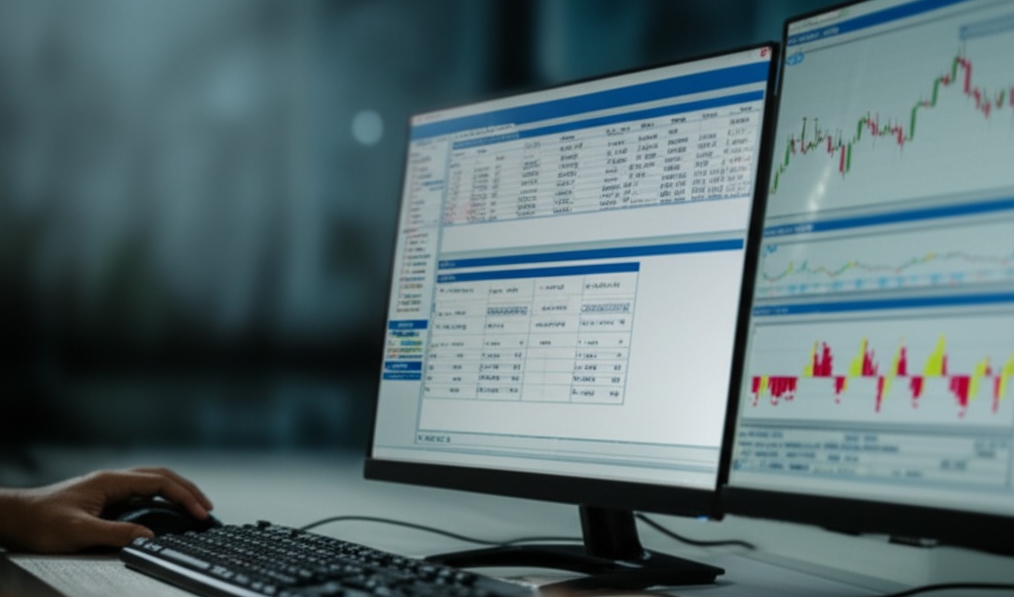
Backtesting in MetaTrader allows you to simulate trading using historical data to assess how well your Expert Advisor (EA) might perform in live conditions. By running a simulation, you can evaluate your trading strategy's effectiveness without risking real money. You get insights into performance metrics like profit, drawdown, and trade success rate, which is essential for optimization.
Setting Up Backtests for Trend Indicator EAs
To backtest your Trend Indicator EA in MetaTrader, you need to configure your backtest settings carefully. Choose indicators like Moving Averages, RSI, or MACD for testing with the Strategy Tester. Set the testing period, select tick data, and ensure modeling quality is high for accurate results. This allows your EA to simulate trades based on historical price data and provide valuable insights into its potential performance.
Analyzing Backtest Results for Strategy Improvement
Once the backtest finishes, it's time to analyze the backtest report. Pay attention to key metrics like profit factor, drawdown, and win rate. These figures provide a detailed look into how your Trend Indicator EA would perform. By refining your strategy based on the results, you can optimize for better risk management and improve the equity curve for more consistent profits.
How to Optimize Performance?
Optimizing your MQL4 Trend Indicator EA is key to improving performance and ensuring you make the most of your automated strategy.

Adjusting Indicator Parameters for Maximum Efficiency
Optimizing your indicators is like tuning a guitar for the perfect sound. By adjusting your indicator parameters—like thresholds, input settings, and calibration—you can increase the accuracy of your signals and boost overall performance. This includes tweaking values during backtesting to find the right balance between responsiveness and stability.

Avoiding Overfitting in EA Strategy Optimization
Overfitting is like training for a marathon by only running on one type of terrain. It can make your strategy too tailored to past data, and less adaptable to new market conditions. To avoid this, focus on walk-forward testing and validate your EA's performance with both in-sample and out-of-sample data. Keep your strategy robust and avoid curve fitting!
Speeding Up Your EA's Execution Time
Slow execution can eat into your profits, especially in volatile markets. Optimizing code to reduce processing time and minimize latency is essential for improving the backtesting speed and ensuring your EA reacts quickly. Streamline your algorithm and minimize unnecessary resources for faster, more efficient performance.

Optimizing Risk Management in Trend EAs
Risk management is the foundation of any successful strategy. Use position sizing and set clear stop-loss and take-profit levels to protect against unexpected market swings. Fine-tuning these parameters can minimize drawdown and maximize profitability, ensuring your Trend EA adapts to volatile conditions. Don't risk your capital without a strategy in place!
Fine-Tuning for Specific Market Conditions
Each market has its own personality, and your Trend EA should adapt accordingly. Whether you're dealing with trending, ranging, or sideways markets, it's crucial to adjust the parameters based on market volatility. Backtesting in different environments and fine-tuning your strategy will help maintain performance across a variety of conditions.
Can Multiple Indicators Improve Accuracy?
Combining multiple trend indicators can greatly improve your trading strategy's accuracy. Let's break down how this works and why it might be just what you need.

The Power of Combining Trend Indicators
The more indicators you use, the better your chances of confirming a trend. When you combine signals from multiple indicators, you're essentially creating a more reliable market analysis. This combo gives you a more accurate reading of market momentum, volatility, and price action.
Combining indicators filters out false signals, which increases the strength of your trades.
Use momentum indicators with trend-following ones to confirm entries and exits.
Don’t forget to tweak the settings—more indicators mean more complexity in your strategy.

How to Program Multiple Indicators into an EA
Programming multiple indicators into your EA allows you to build a more refined trading system that can act based on a combination of signals. Here’s a simple way to approach it:
Select your indicators (e.g., moving averages, RSI, MACD).
Program them into your EA using MQL4 syntax.
Create a system that acts when all or a subset of your indicators align with the trend.
Backtest your EA on MetaTrader, adjust, and optimize.
In short, combining indicators into a single EA can automate complex strategies for consistent performance.
What Are the Common Pitfalls?
When developing a MQL4 Trend Indicator EA, it's easy to make mistakes that can hinder performance. Let's explore some common pitfalls and learn how to avoid them.
Over-Reliance on One Indicator
Using just one indicator for your trading strategy is like relying on one piece of information to make all your decisions. While indicators can be valuable, bias and confirmation can cloud judgment. It’s vital to combine different technical analysis tools to create a more balanced approach.
Bias from one indicator might lead to false signals.
Always use a variety of indicators to confirm signals.
A diversified approach offers a clearer picture of the market’s direction.

Ignoring Market Volatility in Strategy Design
One of the biggest mistakes is ignoring market volatility when designing your strategy. The market is unpredictable, and price swings can cause substantial drawdown if your strategy isn’t designed to handle risk. Risk management and stress testing are necessary to ensure your EA can adapt to uncertainty and extreme market movements.
| Risk Factor | Solution | Key Consideration |
|---|---|---|
| High volatility | Implement risk controls | Use stop-loss orders |
| Market uncertainty | Use dynamic strategies | Backtesting for different scenarios |
| Price fluctuations | Regular monitoring | Consider drawdowns in simulation |
Always backtest under volatile market conditions.
Stress test your EA to evaluate risk assessment under extreme price fluctuations.
Monitor drawdown closely and adjust risk management techniques accordingly.
Misinterpreting Backtest Results
Backtesting gives you an idea of how your EA might perform, but it can be misleading if you don’t interpret the results properly. Overfitting can make your EA seem perfect on historical data, but this often leads to poor performance in real market conditions. Curve fitting or data mining can distort the results.
Overfitting creates unrealistic expectations based on past performance.
Focus on the validation of results rather than relying solely on historical accuracy.
Always perform forward testing to compare backtest results with real-time performance.
Failing to Adjust for Changing Market Conditions
Markets don’t stay the same. Market cycles shift, and ignoring these changes is a common mistake. When a trend shifts or regime change occurs, your strategy must be flexible enough to adapt. Regular rebalancing and performance monitoring ensure your EA remains effective as conditions evolve.
Adaptation is necessary as market conditions change.
Strategy adjustment should be done regularly to match trend cycles.
Don’t let your EA become rigid; adjust for new information and shifting conditions.
By avoiding these common pitfalls, you can significantly improve the reliability and profitability of your MQL4 Trend Indicator EA. Regular evaluation, flexibility, and proper risk management will keep your strategy on track in the ever-changing market environment.
Conclusion
You’ve learned the ropes of MQL4 Trend Indicator EAs—from programming basics to optimizing performance. Now, you’ve got the tools to automate your trading strategy and save yourself the stress of constant monitoring.
Put it into practice! Start building your own EA, backtest it, and fine-tune it until it works like a charm.
Remember, “The best time to start was yesterday. The second best time is now.” So, get coding, and let your EA do the heavy lifting!
MQL4 (MetaQuotes Language 4) is the programming language used to write custom scripts, indicators, and Expert Advisors (EAs) for MetaTrader 4, a popular trading platform. It allows traders to automate their trading strategies, backtest them, and execute trades based on pre-set rules. Essentially, it's like giving your trading a brain—no more sitting at the screen all day!
Trend indicators are like the compass that guides traders through the stormy seas of the Forex market. They help identify the direction of the market, whether it’s trending up, down, or moving sideways. By using these indicators, traders can make more informed decisions about when to enter or exit the market.
Identify market direction: Know whether the market is moving up or down.
Smooth out noise: Filter out random market movements.
Create entry/exit points: Determine when to trade based on trends.
When it comes to choosing trend indicators, there’s no one-size-fits-all solution. Here are a few widely used indicators:
These indicators, especially when combined, can give you a clearer picture of the market’s movements and help you make better trading decisions.
Moving Averages (MA): Popular for identifying the general market direction.
Relative Strength Index (RSI): Helps confirm trends and potential reversals.
MACD (Moving Average Convergence Divergence): Measures momentum and trend strength.
Absolutely! With MQL4, you can create Expert Advisors (EAs) that automatically execute trades based on the trend indicators you choose. EAs are perfect for traders who want to take the emotion out of trading and stick to a consistent strategy.
Automate decision-making: Let the EA execute trades for you.
Backtest strategies: Test your strategies using historical data.
Set risk management rules: Ensure trades are executed within your risk tolerance.
Optimizing your EA is crucial to making it work for you in different market conditions. Here’s how you can enhance its performance:
By making these adjustments, your EA will become more responsive to changing market trends and more efficient in executing profitable trades.
Adjust indicator settings: Fine-tune parameters to fit the current market.
Optimize risk management: Set stop-loss and take-profit levels properly.
Test across different time frames: See how the EA performs in both short and long-term trades.
While trend indicators are powerful tools, they aren’t foolproof. One major risk is false signals during periods of market consolidation or choppy markets. Since trend indicators are based on past data, they can sometimes lead to delayed or inaccurate signals.
It’s always a good idea to combine trend indicators with other tools for a more balanced approach.
False signals: Indicators may trigger trades during sideways market conditions.
Over-reliance on indicators: Using only one indicator without confirming with others.
Market volatility: Indicators may fail to adapt during sudden market changes.
Backtesting is a crucial step before using any EA in live trading. Here’s how to ensure your EA works as expected:
Backtesting helps you refine your strategy and avoid costly mistakes in live trading.
Use historical data: Run backtests to see how the EA would have performed in the past.
Check different timeframes: Test your EA on various market conditions (e.g., bullish, bearish).
Analyze results: Look at key performance indicators like profit factor and drawdown.
Even experienced traders can fall into traps when using trend indicators in automated strategies. Here are a few common mistakes to watch out for:
Avoiding these mistakes will help you create a more reliable and effective EA.
Ignoring market noise: In volatile markets, trend indicators can give false signals if not calibrated correctly.
Overfitting: Trying to optimize your EA too much for past data can make it ineffective in future trading.
Not updating parameters: Trends change over time, and your EA must adapt to these changes to stay profitable.
Using multiple indicators can help filter out false signals and give you a more accurate picture of the market. Here’s why combining them works:
Multiple indicators working together can significantly improve your EA’s accuracy and overall performance.
Confirm trends: One indicator might show a weak trend, while another can confirm its strength.
Diverse market analysis: Different indicators analyze different market aspects (momentum, volatility, etc.).
Reduce noise: A combination of indicators can help smooth out market fluctuations and give you clearer signals.

