




Managing international travel expenses and currency needs requires access to secure and reliable digital tools. The HDFC Forex Login provides users with a direct path to monitor prepaid card balances, track spending, and manage foreign currency transactions with ease. Whether you're checking your card usage in real time or reloading funds before an overseas trip, having full access to the HDFC prepaid card portal is essential. Understanding how to navigate the login process, protect your account, and utilize available features can greatly enhance the overall experience. This guide explores every aspect of gaining and maintaining access, ensuring smooth interaction with HDFC’s digital forex services.

Login and Authentication for HDFC Forex Portal
Digital access to foreign currency tools begins with identity verification and secure entry. HDFC forex login procedures ensure that every access point is tightly guarded across platforms and authentication layers.
Understanding HDFC Forex Login Credentials: Username and Password Structure
The login process begins with a user-created Username, often linked to the registered email or customer ID associated with the Forex account.
Passwords must follow the HDFC format, typically requiring a combination of letters, numbers, and special characters to ensure account security.
Credentials are shared across the Online portal and Mobile app, allowing travelers or remitters to move between platforms seamlessly.
First-time users are prompted to create a password immediately after activation, ensuring access is securely tied to two-factor authentication later in the process.
Users who operate across multiple services like wire transfers or international money transfers may use a consolidated HDFC login structure with differentiated access permissions.
How Two-Factor Authentication Works for Secure Login
After entering the initial Username and Password, users must validate identity through an additional layer. This may be an OTP (One-Time Password) sent to a registered mobile number or email, or in some cases, a set of Security questions configured during account setup.
This process serves as a barrier against unauthorized entry, especially when accessing currency exchange tools, managing travel cards, or initiating foreign currency drafts. Device-based trust systems may also recognize frequently used platforms such as a trading platform or mobile app, reducing friction for trusted users.
A table below outlines key two-factor methods used for different platform types and user scenarios:
| Platform Type | Authentication Method | Trigger Event | Purpose |
|---|---|---|---|
| Mobile App | Biometric login | App open/login | Fast and secure access |
| Online Portal | OTP via SMS | Every login or fund transfer | Secure transaction approval |
| Website | Security questions | Forgot password/recovery step | Identity verification |
| Trading Portal | Email OTP | High-value currency conversion | Prevent fraud and theft |
Recovering Forgotten Login Details Using OTP or Security Questions
Losing access to login details can disrupt international payments or access to Forex services. Recovery options are built around verification layers:
Initiate Recovery: Begin with the “Forgot Password” or “Forgot Username” option on the website or mobile app.
Enter Registered Information: Provide either your registered mobile number or email linked to your Savings account or Forex account.
Receive OTP: An OTP is sent to validate identity.
Answer Security Questions: In case OTP delivery fails or isn’t preferred, pre-set security questions offer a fallback route.
Reset and Reconfirm: Create a new password and reconfirm via an email link or app confirmation.
Once restored, users can resume access to services like wire transfers, check balance, or reload travel cards.
Enabling Biometric Login on Mobile Devices for Faster Access
Access to the HDFC mobile app can be streamlined through Biometric login, enhancing convenience without compromising account security.
The feature activates once users successfully complete traditional login and choose to register the device as trusted. Fingerprint or facial recognition data stored on the device—never shared with the bank—is then linked to the user’s profile within the Forex account system.
Biometric login supports faster access to check transaction history, manage currency exchange balances in USD, EUR, or INR, and approve real-time money transfers. It minimizes password fatigue and lowers the risk of phishing attacks, especially for frequent travelers managing multiple travel cards or international money transfers on the go.

HDFC Prepaid Forex Card Features and Benefits
Once users pass the HDFC forex login barrier, the true flexibility of the prepaid card system comes into play—unlocking a range of tools for real-time currency access, card management, and secure travel-based transactions.
How to Load Foreign Currency onto Your HDFC Forex Card
Login to the online portal or mobile app using your authenticated credentials.
Select your active Forex account linked to the card.
Choose the currency type to load: available options include USD, EUR, GBP, JPY, AUD, and others.
Enter the amount to transfer from your savings account or current account.
Confirm via OTP or biometric login and finalize the foreign currency transfer.
Important Notes:
Exchange rates are locked at the time of loading.
Charges may apply for non-business hour transactions.
Loaded amounts are instantly reflected, enabling immediate use for international money transfers, travel bookings, or ATM withdrawals abroad.
Checking Balance and Transaction History Online
Through a unified platform experience, users can track every swipe, load, and ATM withdrawal using real-time tools integrated into HDFC's mobile app and website.
The transaction log includes currency-wise breakdowns and detailed histories of wire transfers, currency exchanges, and POS purchases.
| Access Method | Features Available | Entity Type Involved | Refresh Rate |
|---|---|---|---|
| Online Portal | Balance overview, transaction export | Forex account, Trading platform | Real-time |
| Mobile App | Smart filters, category sorting, date navigation | Travel cards, Savings account | Instantaneous |
| Email Statements | Monthly or custom date ranges | Current account, Currency type | Periodic (Scheduled) |
| SMS Banking | Balance check and last 5 transactions | OTP, Secure login | On-demand |
This system allows seamless monitoring of both account security and budgeting strategies.
Currency Support Overview: USD, EUR, GBP, and More
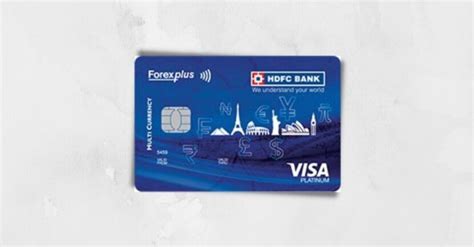
The HDFC prepaid forex card supports a wide range of currency types to accommodate global travelers, students, and professionals.
Unlike single-currency options, this card lets you preload multiple currencies on a single platform, reducing the need for repeated currency exchange transactions. Supported currencies include:
USD (United States Dollar)
EUR (Euro)
GBP (British Pound)
JPY (Japanese Yen)
AUD (Australian Dollar)
CAD (Canadian Dollar)
CHF (Swiss Franc)
INR (Indian Rupee)
Multi-currency support reduces conversion charges and ensures funds are automatically deducted from the relevant currency wallet based on location, optimizing foreign currency draft efficiency.
Card Usage Abroad: Limits, Charges, and Tips
Managing your prepaid forex card outside India involves understanding transaction mechanics and regional limitations.
International POS transactions, ATM withdrawals, and online purchases in foreign denominations depend on the card's available currency balance and account type.
Key considerations include:
Daily withdrawal limits vary by country and ATM network.
POS charges may apply in regions with mandatory currency conversion.
Forex markups are avoided if payment is in the preloaded currency.
Always use secure login to freeze the card via the app if misplaced.
Opt for two-factor authentication where possible for merchant payments.
Planning around these guidelines can streamline travel card usage and prevent unnecessary fees during international stays.
Deactivation and Replacement Process for Lost or Expired Cards
Unexpected events like card loss during a trip or expiry before the next travel plan require immediate action to avoid fraud risks and disruptions to account access.
First, secure the card through the online portal or mobile app using the secure login function. Select “Block Card” under the Forex services menu. Once disabled:
Request a new card through the nearest HDFC branch or via customer care.
Verify identity through OTP and security questions for reissue.
Re-link your new card to the original forex account, and reload with your desired currency type.
Check balance post-activation, and ensure past transaction data is correctly migrated.
By maintaining timely control, users avoid risks tied to lost access or outdated cards, ensuring continuity in using the foreign exchange platform without delays.
Platform Access and Navigation
Accessing forex services through digital channels becomes meaningful only when the experience is fast, unified, and intuitive. With a secure HDFC forex login, users gain direct entry to manage currency, cards, and accounts across multiple platforms.
Accessing the Forex Portal via HDFC NetBanking
Visit the official website and navigate to the NetBanking login page.
Enter your Username and Password, both linked to the Forex account.
Complete two-factor authentication using OTP or a registered device.
Select ‘Prepaid Cards’ or ‘Forex Services’ from the navigation panel.
Access features like currency exchange, travel card reloads, wire transfers, and transaction monitoring.
Tip: Linking your savings account or current account allows for instant fund loading and faster international operations from within the same platform.
Using the Mobile App for Forex Account Management
Managing forex funds on the go demands an app that matches the flexibility of international travel. HDFC’s mobile app provides a direct extension of the online portal, built around secure access and rapid navigation.
After logging in with biometric login or OTP validation, users can switch between travel cards, foreign currency drafts, and account balances with a few taps. The dashboard offers currency-specific insights in USD, GBP, EUR, or INR, depending on the wallet configurations.
Notifications are real-time, transaction logs are updated with every swipe, and data encryption ensures each action is protected—even over unsecured networks. Through this app, users can freeze or unfreeze cards, change authentication settings, and monitor secure transactions without visiting a branch or web terminal.
Navigating Between Forex Account and Other Linked HDFC Accounts
The HDFC digital interface enables a connected view of financial relationships between multiple accounts, removing the need for fragmented navigation or repeated logins.
Whether on the trading platform, NetBanking portal, or mobile app, users can fluidly move between their forex account, savings account, and investment account, accessing cross-functional features from a single dashboard.
| Account Type | Available Actions | Security Features | Cross-Platform Sync |
|---|---|---|---|
| Forex Account | Load currency, check balance, card controls | OTP, Data encryption | Yes |
| Savings Account | Fund transfers, account overview | Secure login, Biometric | Yes |
| Investment Account | View portfolio, reinvest profits | Two-factor authentication | Yes |
| Trading Account | Monitor markets, execute trades | Device recognition | Partial (Web only) |
| Current Account | Transaction history, cheque book services | Profile lock, Alerts | Yes |
This navigation capability enhances user control across platforms and empowers them to manage their international money transfer, wire transfer, and currency exchange tasks without friction.
Security and Fraud Protection Measures
The integrity of every HDFC forex login interaction depends on robust digital protection. Security protocols operate across platforms, ensuring that users can manage funds and accounts with confidence—especially during international usage.
Data Encryption Standards on the HDFC Forex Login Portal
All data entered into the HDFC Forex portal is shielded through advanced data encryption algorithms. Sensitive inputs such as passwords, OTP, and username credentials are encrypted at both the browser and server levels to prevent interception.
The system relies on SSL certificates, end-to-end AES encryption, and tokenized session identifiers, maintaining the confidentiality of operations across currency exchange, wire transfers, and travel card loads.
These technologies work silently in the background—securing transactions whether the user accesses the online portal, mobile app, or trading platform.
How to Identify and Report Suspicious Activity
Unrecognized logins or login attempts from new platform types should raise immediate concerns.
Delays in viewing transactions or unexpected currency type shifts can indicate fraud.
Changes in account-linked emails or mobile numbers without your consent are red flags.
Anomalous high-value international money transfers or foreign currency drafts should be cross-verified.
Steps to Report:
Freeze the affected Forex account via secure login.
Call HDFC’s 24/7 fraud helpline or report via the mobile interface.
Submit supporting documentation and request an internal audit.
Setting Up Alerts for Large or Foreign Transactions
Real-time monitoring becomes easier when transaction thresholds are paired with alert systems. Custom notifications improve account security, especially when users deal with fluctuating currency types or make frequent wire transfers.
| Alert Type | Trigger Action | Delivery Method | Ideal for Account Type |
|---|---|---|---|
| High-Value Transaction | Any debit above INR 50,000 or equivalent | SMS and Email | Forex account, Savings |
| Currency Change Alert | First transaction in a new currency (e.g., GBP) | Push Notification | Travel cards, Trading |
| ATM Withdrawal Alert | Cross-border ATM cash-out | SMS | Prepaid card, Forex account |
| Login Alert | New device or browser | Email and Push | Online portal |
| OTP Verification Attempt | Multiple failed login attempts | SMS and App | All linked accounts |
Timely alerts reduce reliance on manual oversight and strengthen fraud resistance across all access points.
Comparing Secure Transactions Across Devices
The security dynamics of the HDFC forex platform shift based on how the service is accessed. While each device leverages account security protocols, certain usage scenarios are inherently more secure than others.
Smartphones using biometric login enable speed and confidence, especially when transacting in volatile currency markets or while traveling. Web browsers offer extended dashboard control but can be exposed to phishing or session hijacking if left unattended.
When using public Wi-Fi or shared machines, data encryption becomes the frontline shield, but users should avoid accessing the forex portal under such conditions unless absolutely necessary.
Importance of Regular Password Updates and Profile Review
Frequent credential changes help prevent unauthorized login attempts—especially when multiple authentication types are tied to one account. Updating your password, security questions, and verifying your registered email and phone information every 60–90 days can prevent access breaches.
Accounts that link investment accounts, savings accounts, or travel cards under a single username benefit from synchronized security hygiene. These habits are especially critical for users handling international money transfers or managing multi-currency type wallets like USD, EUR, or AUD.
Blocking the Forex Card Instantly from the Portal
A misplaced card can escalate into a security emergency—especially when it holds large balances in foreign denominations like USD or EUR. Fortunately, HDFC provides immediate options to suspend the card through digital tools.
Login securely to the online portal or mobile app.
Navigate to ‘Manage Travel Card’ under forex services.
Select ‘Block Card’ and confirm with OTP.
Choose the reason (Lost, Stolen, Compromised).
The card is deactivated instantly across all international and domestic points.
The process protects both the currency exchange value stored on the card and future transactions from being executed, safeguarding financial integrity until a replacement is issued.

Managing Forex Accounts and Linked Services
A forex account is more than a standalone wallet. It’s integrated into a wider financial ecosystem where smart currency control and seamless access to other accounts play a central role in achieving full digital mobility.
Transferring Money Between Forex and Savings Accounts
Effortless currency management relies on the smooth flow of funds between a user’s forex account and their linked savings account or current account. This integration eliminates the need for branch visits or third-party gateways.
<step 1> Login using secure login on the online portal or mobile app
<step 2> Choose "Transfer to Forex" or "Withdraw from Forex" under the forex services menu
<step 3> Select the target account (e.g., savings account)
<step 4> Enter the desired currency type and amount (USD, EUR, GBP, etc.)
<step 5> Authorize using OTP or biometric login, and confirm the secure transaction
Transfers happen in real time, ensuring liquidity and control whether preparing for international money transfers, rebalancing foreign currency drafts, or topping up travel cards.
Updating KYC and Personal Information
A user’s ability to perform advanced operations—such as wire transfers, large currency exchanges, or access investment modules—depends on their KYC status.
If personal details like a phone number, email, or address change, the system requires an update to maintain account security and regulatory compliance.
| KYC Field | Update Frequency | Required Verification | Affected Services |
|---|---|---|---|
| Mobile Number | As needed | OTP and Profile Confirmation | OTP delivery, secure login |
| Email Address | As needed | Email verification link | Alerts, transaction logs |
| Address | On relocation | Utility bill or bank statement | Card delivery, documentation |
| PAN/Aadhaar | Regulatory phase | Upload + Aadhaar OTP | KYC compliance, forex access |
| Emergency Contact | Optional | Profile update only | Travel card recovery support |
Failing to update these can result in blocked access or interrupted international money transfers.
Scheduling Currency Conversions or Transfers in Advance
Automating transactions in foreign currency saves time and reduces the risk of missing favorable exchange rates. Within the HDFC forex platform, users can schedule upcoming conversions, fund transfers, or wire transfers to sync with travel plans or bill due dates.
This scheduling tool integrates with the user’s trading account, investment account, and savings account, allowing cross-platform control. You can:
Choose the exact currency type and desired transfer date
Lock exchange rates during periods of favorable market trends
Set frequency (one-time, weekly, monthly) for recurring needs
Add custom instructions (e.g., fund recipient, transfer note)
Monitor status in the "Scheduled Orders" tab on the online portal
Such automation is especially helpful for frequent travelers, overseas students, and freelancers operating in multi-currency environments.
Linking Investment and Trading Accounts to Your Forex Profile
Bringing your investment account and trading account under the same ecosystem as your forex account opens the door to powerful financial interoperability. Users managing portfolios in foreign markets can easily convert profits into usable travel or spending currencies such as USD, GBP, or INR.
This linkage also allows:
Direct movement of funds between platforms
Unified login access across the mobile app, website, and trading platform
Easier tax tracking for international money transfers and gains
Alerts for investment-based triggers that align with forex usage
Enhanced account security through shared authentication frameworks
Linking these accounts consolidates control over wealth, enabling decisions that reflect both market movements and global currency needs.

Troubleshooting and Customer Assistance
When friction arises in the forex journey, rapid resolution becomes key. From login errors to delayed transactions, the system provides mechanisms to restore access, secure accounts, and continue managing currency across platforms.
Common Login Errors and How to Resolve Them
Encountering issues while logging into the HDFC forex portal can be caused by simple mistakes or system-level triggers. Below are frequent problems and solutions:
Incorrect Username or Password
→ Use the “Forgot Username/Password” option to reset via OTP.Two-Factor Authentication Failure
→ Ensure the registered mobile number is active and retry. If delayed, use security questions as backup.Expired Session or Timeout
→ Log in again via the online portal and avoid browser auto-fill issues.Biometric Login Not Working on Mobile App
→ Re-register fingerprint or facial ID through device settings and app preferences.Multiple Failed Attempts
→ Account may be temporarily locked for security. Wait 30 minutes or contact customer support.
Contacting Customer Support for Card-Related Queries
When the issue involves a travel card, lost access, or suspicious charges, connecting with the right team quickly is essential. Below is a contact reference table for resolving such cases:
| Type of Query | Best Contact Method | Platform Type | Verification Required |
|---|---|---|---|
| Lost or Stolen Forex Card | Phone – 24/7 helpline | Mobile App / Website | OTP and Card Number |
| Currency Not Loading to Wallet | Chat Support | Online Portal | Secure login + Transaction ID |
| PIN Reset Request | App Chat or Branch Visit | Mobile App | Biometric login or ID Proof |
| Failed Foreign POS Transaction | Phone / Email Support | Travel Card Platform | Card CVV + Last 4 digits |
| Charge Dispute or Refund Request | Forex Account System | Transaction Screenshot |
Support teams work with data encryption protocols and never ask for full credentials.
Delayed Transaction Updates and What to Do
It was just past midnight in Tokyo when a frequent flyer realized her EUR reload hadn’t reflected in her forex account. Panic began to set in, but she paused, reopened the mobile app, and confirmed network availability. The transfer had initiated from her savings account, yet there was no update. She called the helpline.
The representative traced the delay to a maintenance sync on the backend. The balance reflected 20 minutes later. The issue? A minor gateway queue between wire transfer systems and the real-time currency exchange module.
Delays like these aren’t uncommon during high-traffic or cross-time-zone activity. But they’re rarely permanent and often self-correct with system refreshes. When in doubt, a snapshot of the pending transaction and a quick call to support are usually enough to resolve the concern.
Resetting Card PIN and Regaining Access
Resetting your forex card PIN can be done through multiple platforms, ensuring flexibility no matter where you are.
<step 1> Login via the mobile app or online portal using two-factor authentication.
<step 2> Go to "Manage Card" → "Reset PIN" under travel cards.
<step 3> Enter your current PIN or answer security questions.
<step 4> Input new PIN and confirm.
<step 5> Receive confirmation through SMS or email alert.
The new PIN becomes active immediately, securing international money transfers, ATM withdrawals, and secure transactions in supported currencies like USD, JPY, or AUD.
FAQs Around Forex Portal Downtime or Maintenance
Planned or unexpected outages can affect your ability to login, view transactions, or manage forex services. Below are common concerns addressed during such periods:
Why can’t I access the portal at night?
→ Scheduled maintenance occurs between 12:30 AM and 3:00 AM IST. Services resume automatically.What if I urgently need to load funds during downtime?
→ Use the mobile app if the website is affected, or call support for manual intervention.Will pending currency transfers go through?
→ Yes. They’ll be queued and processed once systems are restored.Can I still use the physical card abroad?
→ Absolutely. Offline use at POS or ATMs remains unaffected unless the card itself is blocked.
Understanding system behavior during downtime helps users maintain confidence, ensuring that account security, fund access, and transaction integrity remain intact.

Conclusion
Efficient access to HDFC Forex services plays a crucial role in managing global spending, especially for frequent travelers, business professionals, and international students. From initiating the HDFC Forex Login to fully utilizing the prepaid card portal, users engage with a comprehensive system built around security, convenience, and currency flexibility. Every touchpoint—authentication, balance tracking, fund transfer, card usage, and troubleshooting—is interconnected by a seamless digital platform. By mastering the login process and understanding the broader features tied to the HDFC Forex ecosystem, users gain full control over their foreign currency needs, supported by robust account security and multi-device accessibility. A confident and informed user journey begins with knowing how to access, manage, and safeguard the digital tools provided by HDFC’s Forex services.
You can recover your login details by selecting the "Forgot Password" option on the login page. You’ll be prompted to verify your identity using an OTP sent to your registered mobile number, or by answering security questions linked to your account.
Username and password input
One-time password (OTP) verification
Two-factor authentication setup
Optional biometric login for mobile devices
Viewing your card balance and transaction history
Reloading your prepaid forex card with supported currencies
Updating personal information and KYC details
Requesting card deactivation or replacements
Yes, HDFC’s Forex platform supports both web-based access and mobile app usage. The app allows you to perform most of the same functions as the desktop version, with added benefits like biometric login and instant alerts.
USD (US Dollar)
EUR (Euro)
GBP (British Pound)
JPY (Japanese Yen)
AUD (Australian Dollar)
CAD (Canadian Dollar)

