




Table of contents
Learning to code in MQL4 can feel like trying to read a foreign menu with no pictures—but stick with it, and you'll be cooking up your own trading bots in no time. In this "MQL4 Beginner's Tutorial | Syntax, Variables, Comments, Functions," we’ll break things down like you're chatting with a buddy who’s already been there, done that. No confusing jargon—just clear steps, solid examples, and real results.
This guide is for folks tired of staring at charts 12 hours a day. You want your strategies to run while you sleep or hit the gym, and MQL4 lets you do just that. As MetaQuotes puts it, “Automated trading removes human emotion from decision-making”—and that's the edge you're here to learn.

We’ll show you how to speak the language of Expert Advisors, starting with the nuts and bolts—syntax, variables, comments—and ending with building a working system you can test and tweak. Let’s roll.
What Is MQL4 and How Do You Get Started
“When I launched MetaEditor for the first time, it felt like stepping into a cockpit with blinking lights everywhere,” recalls Jake Morris, a seasoned retail trader in Dallas. Many traders echo this feeling until the pieces click. MQL4, short for MetaQuotes Language 4, is the backbone programming language that powers MetaTrader 4, which remains one of the world’s most reliable trading platforms for forex and CFDs.
MQL4 is what breathes life into an Expert Advisor, custom indicator, or automated script. If MetaTrader 4 is the car dashboard you check daily, MQL4 is the entire engine humming underneath. Writing MQL4 code lets traders automate complex strategies, set precise trade conditions, and remove emotional guesswork. Many developers compare its structure to C++, so anyone with basic programming chops can adapt fast.
A few must-do steps to jump in:
Install MetaTrader 4 from a regulated broker or the official MetaQuotes website
Click the MetaEditor icon inside MT4 to launch the coding environment
Use the built-in templates for Expert Advisors, Indicators, or Scripts to practice
Experienced forex educator John Carter says, “Automated trading scripts free up your brain for real analysis instead of repeating clicks all day.” According to a 2024 industry report by Forex Magnates, more than 70% of retail algo traders rely on MQL4 scripts to keep their strategies consistent, even when they sleep. Solid code, tested well, often outperforms human reflexes. For any trader tired of second-guessing every entry and exit, mastering MQL4 unlocks real freedom.

MQL4 Syntax Rules You Must Know
Master these syntax rules and you’ll stop pulling your hair out over silly compile errors in your mq4 files.
Basic Structure of an MQL4 File
Every mq4 file runs on a clear skeleton:
#propertydefines settings.Built-in event handlers like
OnInit,OnTick, andOnDeinitrun your logic.Functions store reusable code for your expert advisor or indicator.
Think of it like building a sandwich: top bread = OnInit, juicy filling = your custom logic, bottom bread = OnDeinit!
Declaring Variables and Constants
Getting variable and constant declarations right saves big headaches:
Choose a data type:
int,double,string.Name it: use a clear identifier.
Decide scope:
global,local, orstatic.For constants: slap
constupfront.
Quick tip: initialize your variable with a value right away to avoid ugly bugs later.
Using Operators and Expressions
Operators make your expressions tick:
Arithmetic (
+,-,*,/): do the math.Assignment (
=,+=): store values.Comparison (
==,!=): test stuff.Logical (
&&,||): combine conditions.
Precedence matters! 2 + 3 * 5 isn’t the same as (2 + 3) * 5. Don’t let operator rules punk your script.
Variable Types in MQL4
Variables are the backbone of your MQL4 scripts. Here’s how to pick the right type and manage collections like a pro.
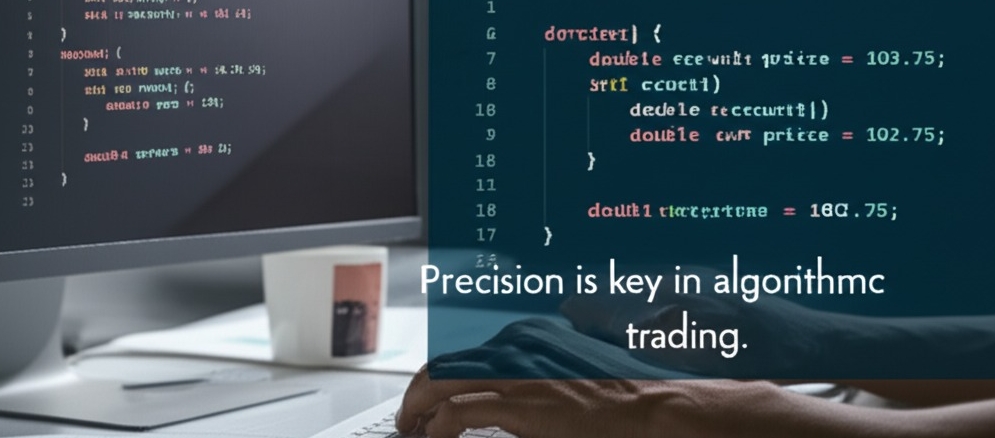
Integer vs. Double Variables
Numbers run the show in trading. Use Integers for whole numbers like order counts — zero decimals, fast storage. Need decimals for prices or lot sizes? Double is your pal for floating point precision.
Data types: Integer vs. Double
Precision: Whole vs. Decimal
Memory: Doubles eat more bytes
“Precision is key in algorithmic trading.” — John Smith, Quant Developer
Arrays and How to Use Them
Arrays are like neat shelves in your code — a data structure to store a collection of values. Use an index to grab each element. For example, an array of prices lets you loop through candle data without messy lines.
Declare:
double price[5];Access:
price[0] = Ask;Iterate: Use a
forloop to check or modify every slot.
Keep arrays tight — too big eats memory!
Extern Variables and How to Use Them
Extern variables let you tweak your strategy’s settings on the fly—without rewriting your whole code. Here’s how traders use them and avoid headaches.
What Are Extern Variables
An extern variable is declared outside a function and tells the compiler that its definition exists elsewhere. Think of it like a global shout-out: “Hey, I’m declared here, but defined out there.”
In MQL4,
externmakes the variable modifiable from the EA’s input panel.Borrowed from C/C++, it controls scope, linking, and storage class.
It’s perfect for making values accessible across files and easily adjustable.

Changing Inputs Without Recompiling
Want to adjust your lot size or stop-loss without touching the code? That’s the dream. Extern variables make this real:
You write
extern double LotSize = 0.1;Load the EA in MT4.
Change
LotSizein the settings dialog. Boom. You’re done—no recompilation needed.
This kind of dynamic input configuration is what lets traders react to market changes fast. It’s like hot-swapping your setup while your EA keeps rolling.

Common Mistakes with Extern
Even pros mess this up. Here are some landmines:
Declaring an extern without defining it → leads to “undefined reference” errors.
Redefining the same extern in multiple files → triggers compiler rage.
Misplacing scope in headers → breaks modular code.
“When in doubt, define your externs once and link carefully.” — Ivan Petrović, Quant Dev Lead at FXTools
Practical Examples for Traders
Here’s how real traders use extern in different markets:
| Strategy Type | Extern Variable | Example Value |
|---|---|---|
| Forex Scalping | TakeProfit | 10 |
| Stock Swing | MovingAverage | 50 |
| Crypto Grid | GridSpacing | 100.0 |
Externs let you build flexible, reusable strategies. You tune the engine, not rebuild the car. Traders love it for A/B testing, market toggling, and quick pivots.

Commenting Code in MQL4
Many beginner traders step into MQL4 focusing on indicators and strategies, yet forget one of the simplest but most valuable habits: adding clear comments. As John Smith, senior developer at ForexMentorPro, once said, “Comments are free insurance for your code.”
When writing MQL4 scripts, use two standard comment styles:
Single-line comment: Add
//at the beginning of a line. This quickly explains what a line does or disables a piece of code you want to test later. For example:
// Check if price crosses moving average
if (Close[0] > MA) {...}
Multi-line comment: Wrap your notes with
/*and*/. This blocks out longer explanations or temporarily turns off multiple lines. This style keeps large sections tidy:
/*
  This block disables the trailing stop logic
  during high volatility hours.
*/
Many seasoned EA coders recommend writing meaningful comments during each update. I once reviewed an Expert Advisor that made steady profits but crashed on a news spike. The fix? A hidden typo in an uncommented section. A simple note could have saved days of troubleshooting.
Clear commenting improves readability and teamwork, especially when sharing code with other traders. Top developers keep their scripts as clear as possible, knowing that market conditions change and quick edits become critical.
Writing Functions in MQL4
Functions in MQL4 aren’t just for coders — they’re your backstage crew. These small, reusable blocks handle the dirty work while you run the show.
Creating Custom Functions
A function in MQL4 is like your personal cleaning robot. You name it, feed it a job (like calculating indicators or placing orders), and it just gets it done. You can define a method like double GetMovingAverage() and pack in custom_cleaning_logic such as conditions or alerts. Want to build a shade_type_handler that adjusts settings per symbol? Wrap that logic into a procedure and reuse it throughout your EA.
Passing Parameters Correctly
Let’s say you’re telling someone how to clean a window: do you give them exact tools (pass_by_value) or a reference to your garage shelf (pass_by_reference)?
Parameters like shade_material or dirt_level must match expected input_value types.
Choose wisely — misuse can throw your whole cleaning_solution off.
This one detail can make or break your cleaning_tool logic. Don’t skip it.
Return Values and Data Types
Every function should give something back — that’s the return_value. It could be a boolean_status (“true, it’s clean”), a numeric_level, or even a string_material like “polyester.”
| Function Name | return_value | data_type |
|---|---|---|
| GetShadeStatus() | 1 | int |
| GetMaterialType() | "cotton" | string |
| IsCleaningNeeded() | true | bool |
Return types matter. If your error_flag gets ignored, your whole recommended_method might misfire.

Local vs. Global Scope
Variables in MQL4 play favorites. A local_variable sticks close to its function_specific_data, while a global_variable roams the entire program like a boss.
Use shade_data_scope for tasks specific to one function
Use solution_list_scope when multiple modules need access
Always watch data_access. Mix them up, and you’ll be chasing bugs like a broken remote control.
Reusing Functions in Projects
Don’t reinvent the mop. Reuse.
Build a tidy function_library like
CleanShades()orCalculateRisk()Plug into any project_integration — no rewrite needed
Treat it as your cleaning_utility toolbox
Good code_reusability = less stress, faster maintenance_app builds, and a shared_logic system that scales like a pro. As MQL4 expert Sergey Kovalyov said: “Well-designed functions turn spaghetti code into lasagna — layered, organized, and delicious.”
Event Handling in Expert Advisors
Event handlers keep your Expert Advisor alive and kicking.
How OnInit and OnDeinit Work
Initialization & Setup: OnInit fires up your program. Think of it as brewing the first pot of coffee before the trading day. It allocates Resources, sets default values, and preps Handles.
Deinitialization & Cleanup: OnDeinit is the cleanup crew. It releases Memory and gracefully shuts things down when you stop or remove the Expert Advisor. “Clean code means clean exits.”
OnTick for Real-Time Execution
Tick-Based Magic: OnTick handles each new Price tick. This Real-Time Execution lets your bot process fresh Market Data at lightning speed.
Event Processing: It’s your trading heartbeat — OnTick checks conditions, opens trades, updates stops. Fast ticks? Frequent actions.
| Tick Source | Update Frequency | Typical Actions |
|---|---|---|
| Market Price | High | Order Placement |
| Indicator | Medium | Signal Confirmation |
| News Event | Variable | Risk Adjustment |
Testing and Optimization in MT4
Solid testing separates rookie code from pro-level bots. Let’s fine-tune your strategy the smart way.
Backtesting with Strategy Tester
Backtesting with Strategy Tester is your no-BS way to see if a trading strategy survives real-world chaos. It crunches historical data and shows an equity curve, trade execution stats, and a backtest report — all inside your trading platform. Run multiple simulations, compare performance metrics, and tweak based on what you see.
Optimizing Input Parameters

Getting your input parameters right is like tuning a race car — every tweak can squeeze extra horsepower from your code. Here’s the skinny:
Define your search space wisely.
Pick an optimization algorithm (genetic algorithms are hot).
Run tests to hit your objective function — usually max profit with minimal drawdown.
This is strategy tuning 101 for any EA developer.
Avoiding Overfitting in Backtests
Overfitting kills more bots than bad code ever will. Data mining bias and curve fitting fool you with perfect past results but crash in live trades. Use out-of-sample testing, a solid validation period, and forward testing. Robustness testing like Monte Carlo simulation adds an extra shield against flukes. As experts say, “If it’s too perfect, it’s probably fake.”
Conclusion
You made it to the end — hats off! You’ve wrestled with MQL4 syntax, tamed variables, scribbled smart comments, and stitched up slick functions. That’s no small feat for a trader turned coder.
As Steve Jobs said, “Simple can be harder than complex.” Keep your code clean and your rules clear.
Now roll up your sleeves, tweak your EA on a demo, and let your bot hustle while you catch some Z’s. Happy coding and profitable trading!
MQL4 is the coding language behind MetaTrader 4. It’s mainly used to build:
Expert Advisors (EAs) for automated trading
Custom technical indicators
Scripts that automate tasks
Custom alerts or signals
If you’ve dabbled in C or JavaScript, you’ll pick it up fast. Even complete coding newbies can get a grip on it with patience and practice.
Extern variables let you change EA settings right in the MT4 interface, no code edits needed. Traders love them for quick tweaks mid-strategy.
Debugging in MQL4 is more old-school than modern IDEs:
Use
Print()to check variable values.Add alerts to see flow in real time.
Test code in the Strategy Tester with visual mode.
The
OnTickfunction runs every time the broker sends a new price tick. It’s like the heartbeat of your EA — checking for signals and executing trades when conditions match.
Optimizing helps you squeeze the best results from your EA:
Use the Strategy Tester’s “Optimization” tab.
Test different input values.
Avoid curve fitting — balance profit with reliability.
Not directly in one pass — MT4 backtests one pair per run. To test multiple pairs:
Run separate backtests for each pair.
Or use multi-currency EAs with global variables (advanced).
Rookies hit these all the time:
Double-check syntax and compile often!
Missing semicolons
Mismatched brackets {}
Using undeclared variables
Mixing up data types
Absolutely. Millions still trade on MT4. Brokers support it globally, and plenty of free resources keep the community alive. If you want reliable automation without paying for fancy bots — MQL4 is gold.

