




For many Indian brokerages, the forex calculator sits at the heart of the business, yet on busy days it feels like a mystery box. One VIP client asks, “Boss, why does your P&L not match my other platform?” and the whole dealing room goes into panic mode.
Behind that one number sit spreads, swaps, commissions, base currency, conversions and lot size. Mix in a few “jugaad” spreadsheets, different formulas across teams, and suddenly every audit or large client call becomes full tension, yaar.
As an Fxbee risk engineer once joked, “P&L is not decoration, it’s your credibility on the screen.”
This article walks through the key pieces of gain and loss, a clean step-by-step workflow, manual formulas versus a calculator engine, the maths behind price moves, data you must feed in, and a simple way to debug mismatched results. Think of it as a checklist before signing off on any wholesale or white-label solution.
So let’s start by breaking down the core components of forex gain and loss that every serious brokerage must get right.
Key Components of Forex Gain and Loss
Standardizing Base Currency and Quote Currency Across Platforms
Base currency and Quote currency rules need to be identical everywhere, or your gain/loss math starts looking wonky fast across each Trading platform.
Lock a single Notation format for every Currency pair.
Fix one Exchange rate source per environment to avoid surprise differences.
Store Base currency and Quote currency logic centrally so mobile, web, and back office call the same rules.
This kind of Standardization cuts down on “your numbers don’t match my app” complaints.
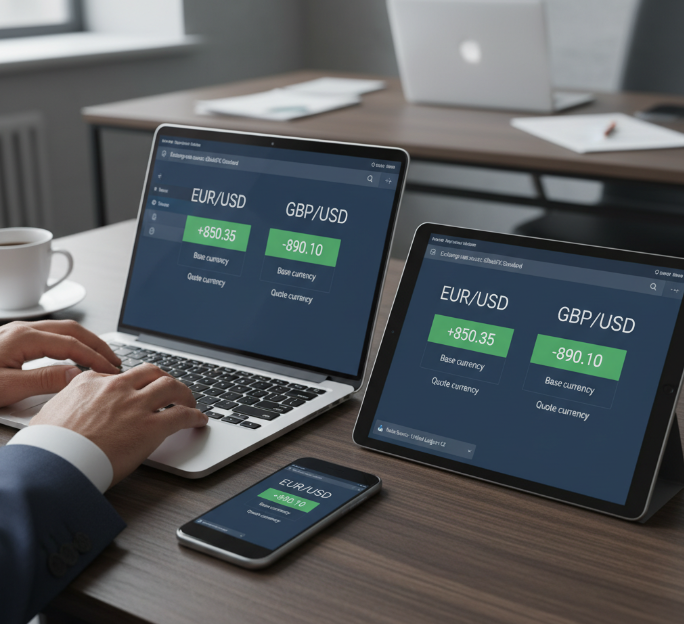
Pip Value and Contract Size Mapping for EUR/USD and GBP/USD
Here the spotlight is on Pip value and Contract size for core Forex pair favorites like EUR/USD and GBP/USD, so your numbers stay tight even when price movement gets wild.
Build one mapping table that ties Contract size to each pair.
Use that table for every Pip value Calculation in your forex calculator.
Keep changes versioned so ops teams know which mapping drove past P&L.
Once this is wired, scaling from two pairs to fifty is way less painful.

Lot Size, Position Size and Leverage Rules for Broker Accounts
Lot size rules decide how clients chew through Capital, so sloppy settings can wreck Risk management on any Broker account.
Define Standard lot, Mini lot and Micro lot Units per brand.
Link Position size limits and Leverage tiers to account types.
Bake Margin and Trading rules straight into the calculator logic.
As Fxbee’s risk crew likes to say: “If size rules aren’t crystal clear, P&L disputes are only a matter of time.”

Including Spread, Swap Rate and Commission in Profit Calculator Outputs
Trading costs hit harder than most users admit, so your Profit calculator should never hide them.
When Spread, Swap rate, Commission and overnight fees plug directly into each gain/loss run, Gross profit quietly turns into realistic Net profit that still matches reports. With all Trading costs exposed in one view, your brokerage looks honest, support teams get fewer angry tickets, and clients finally stop asking why their statement P&L feels “off” compared to the calculator.
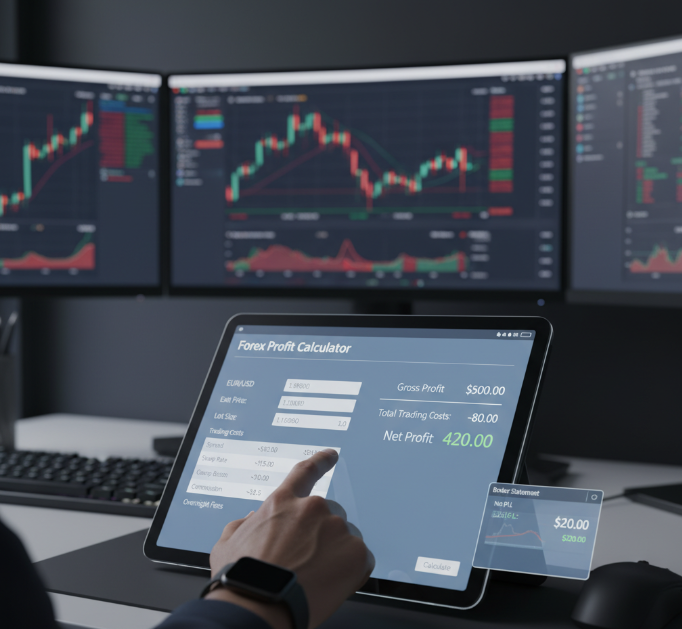
Step-by-Step Forex Calculator Workflow for Every Trade
Capturing Entry Price, Stop Loss and Take Profit from Market, Limit and Pending Orders
Smart trade execution starts with clean inputs from every order type.
Pull the entry point or open price automatically from market orders at position opening.
Sync order price from each limit order or pending order, including buy limit, sell limit, buy stop and sell stop.
Map price levels for each stop-loss order and take-profit order so exit strategy and profit target match real risk management rules.
This keeps market entry data aligned for both retail clients and brokerage back office.
Streaming Bid Price, Ask Price and Exchange Rate into Pip Calculator
Feed live bid price and ask price from streaming quotes into a central price feed.
Lock the exchange rate snapshot at trade open, then update only when the trade closes or partial closes.
Push that combo into the pip calculator engine for every currency pair, so pip value stays consistent even during crazy market data spikes.
Broker teams get a clean audit trail of real-time data for audit or client disputes.
Using Margin Calculator to Control Margin Requirement and Free Margin
Margin calculator checks margin requirement instantly when a trader sets position size and chosen leverage.
Used margin and margin level get refreshed based on current equity and account balance.
Free margin is validated before trade execution so the system blocks orders that would trigger a margin call too fast.
Risk teams in a brokerage gain predictable control instead of firefighting margin drama after market shocks.
Applying Risk-Reward Calculator by Risk Percentage and Risk of Ruin
A solid risk-reward ratio beats “gut feel” every time.
Set a fixed risk percentage per trade and let the risk-reward calculator suggest position sizing.
Use risk assessment tools to estimate risk of ruin over hundreds of trades, not just one.
Align stop-loss order and take-profit order levels with capital preservation goals instead of random exit points.
This kind of trade analysis helps a brokerage look serious about risk management to high-value clients.
Exporting Account Balance, Equity and Drawdown to Brokerage Reports
Account balance, equity and drawdown numbers from the forex calculator shouldn’t just sit in one screen.
Push performance metrics into daily brokerage reports and client-facing financial statements.
Sync trade history with calculated drawdown so risk teams can flag problem accounts quickly.
Give managers a clean feed of equity curves for internal dashboards and quarterly reviews.
That pipeline turns raw calculator output into decision-ready reporting for the whole firm.
Manual Formulas vs Forex Calculator: Which Suits Your Strategy?
Manual Pip Value Formulas in Spreadsheets
When pip value relies on manual calculation in spreadsheets, errors creep in quickly. Tiny edits in Excel formulas can twist results across currency pairs and lot size setups.
Reuse one locked template per account currency
Keep a change log for every pip value tweak
Train support to read the same Excel formulas
Done right, your team stays quick on its feet without living in firefighting mode.
Centralized Pip Calculator for EUR/USD to GBP/JPY
A pip calculator as a centralized tool keeps EUR/USD, GBP/JPY and other currency pairs in sync across brands by using shared cross rates and real-time data.
| Pair | Pip size | Contract size | Value per lot |
|---|---|---|---|
| EUR/USD | 0.0001 | 100000 | 10 |
| GBP/JPY | 0.01 | 100000 | 9 |
| EUR/GBP | 0.0001 | 100000 | 11 |
With one core service, updates hit every screen at once instead of chasing scattered spreadsheets.
Automated Profit Calculator for Intraday Trading
Hook each trade into a profit calculator tuned for intraday trading.
Feed in entry price, exit price, stop loss and take profit straight from the ticket.
Let the automated tool crunch live trade analysis while dealers watch risk.
Export tidy P&L so ops and finance stop re-checking every wild candle.
White-Label Calculator APIs for Brokerages
White-label calculator APIs let brokerages turn a plain site into serious client tools without rebuilding the math from scratch.
Simple endpoints for fast platform integration
Developer tools and samples so your coders ramp up quickly
Flexible branding so forex brokers keep their own style
As one easycashbackfx engineer jokes, “If integration feels boring, the API probably did its job.”
How Does a Forex Calculator Turn Raw Price Moves into Numbers?
What counts as “raw price moves”?
In your dealer room or bridge, the system is constantly getting tiny updates like:
Bid Price for EUR/USD changing from 1.1000 to 1.1001
Ask Price jumping because of market volatility
Different liquidity across trading session, causing price fluctuations and slippage
On screen this just looks like blinking quotes. Inside the forex calculator, though, that stream is cleaned, aligned with your symbols, and turned into solid numbers your clients understand.
How the pipeline usually runs
Price feed sends fresh exchange rate ticks.
Calculator measures the move in pip value units.
It combines that with lot size, position size and contract size.
It converts everything into the trader’s base currency.
It deducts spread, swap and commission to get final profit and loss.
Results go back to the platform and risk tools, ready for reports and client display.
Pretty simple on paper, but each step needs tight rules, else your brokerage support inbox fills up, boss.
From price ticks to pips: quick breakdown
Step 1 – Read the tick:
New Bid/Ask for EUR/USD or GBP/JPY comes in. The feed marks the time, source and symbol.Step 2 – Turn raw move into pips:
The forex calculator compares current price with entry price or last checked price and measures the change in pips based on symbol precision.Step 3 – Bring in trade execution details:
Trade direction (buy/sell), lot size, leverage, stop loss, take profit and trade execution price are pulled from your order system.Step 4 – Apply money meaning:
Pip move × pip value × position size → profit and loss in the quote currency, then into the trader’s base currency.Step 5 – Adjust with real-world costs:
Add spread cost, swap rate, commissions, any special fees your brokerage uses.
Only after all this, the number that shows on the client’s screen actually makes sense for both them and your back office.
What happens inside for one EUR/USD trade
Let’s say a client buys 1 lot EUR/USD at 1.1000 and closes at 1.1015.
| Stage | Key Inputs | Example for EUR/USD | Calculator Output |
|---|---|---|---|
| Price move | Bid 1.1000 → 1.1015 | 1.1000 to 1.1015 | 15 pip move |
| Pip value calculation | Lot size 1.0, contract 100,000, quote currency USD | 1 pip ≈ 0.0001 × 100,000 | 1 pip = 10 USD |
| Trade execution result | 15 pips, direction: buy, position size 1 lot | 15 × 10 USD | +150 USD profit before costs |
| Final profit and loss display | Spread, swap rate, commission, base currency conversion if needed | Spread cost 2 USD, no swap, 3 USD commission | Net +145 USD shown to client and reports |
Once your team agrees on a table like this for each key pair, the whole brokerage gets a single truth for profit and loss, instead of every team doing their own jugaad in Excel.
How base currency and quote currency come into the picture
If the base currency of the account is USD and the pair is EUR/USD, then the calculator can show P&L straight in USD.
For something like EUR/JPY with a USD account, the engine has to pull another exchange rate to swing JPY result back into USD.
Same trade, different account currency → your forex calculator must keep full history of which base currency rule applied when the trade was open.
If this logic is not clear, client will say, “Bhai, statement showing one number, platform showing another, what’s going on?”
What easycashbackfx engineers watch inside the engine
Q (Product Manager, easycashbackfx):
When you plug our forex calculator into a new brokerage, what do you check first?
A (Rahul, Senior Quant Engineer, easycashbackfx):
“Honestly, I check how they define lot size and contract. Many brokers say ‘1 lot’ but backend contract might be 10,000, 50,000 or 100,000 units. If that mapping is off by even a bit, pip value and profit and loss both go crazy. So we lock that down with them on day one.”
Q (Team Lead, easycashbackfx Integrations):
Where do mixed results usually come from in trade execution numbers?
A (Neha, FX Systems Architect, easycashbackfx):
“Most confusion comes when one system is using mid price, another is using Bid/Ask. Client trades on Ask, closes on Bid, but some old tool still assumes mid. Then price fluctuations look bigger or smaller than reality. We always align the data source and say clearly: this stream is the one the calculator will trust.”
Q (Head of Risk, easycashbackfx):
How do you keep the engine friendly for risk teams?
“We show them a plain-english flow: tick → pips → money → account. For each step we log the numbers: exchange rate, pip value, lot size, leverage, profit and loss. So if risk wants to audit a wild day, they don’t need PhD-level code reading, they just read the log file like a story.”
What Data Do You Need Before Calculating Forex Gains?
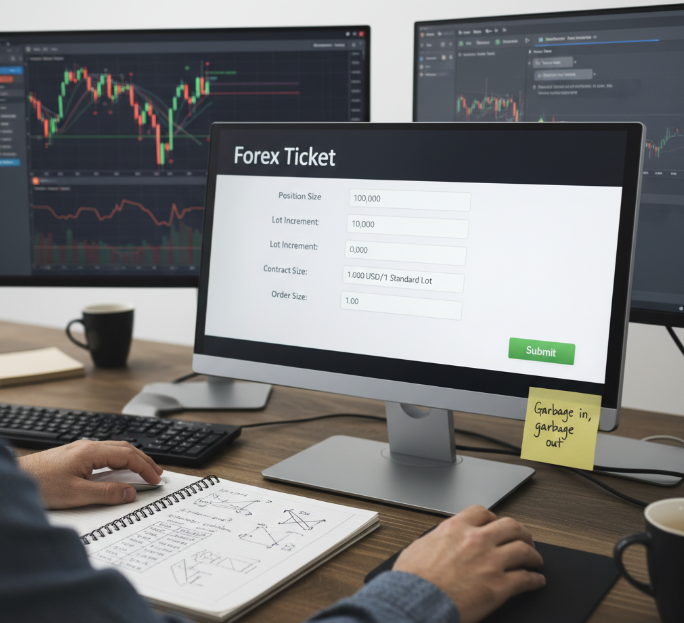
Trade Tickets: Position Size, Lot Increment and Contract Size
For each forex trade, your ticket details must store position size, lot increment, contract size and realistic order size.
Clean trade volume data lets the gain/loss math stay in sync with your risk team.
“Garbage in, garbage out,” as one easycashbackfx engineer jokes during audits.
Tight ticket details today mean fewer angry support chats about “wrong P&L” tomorrow.
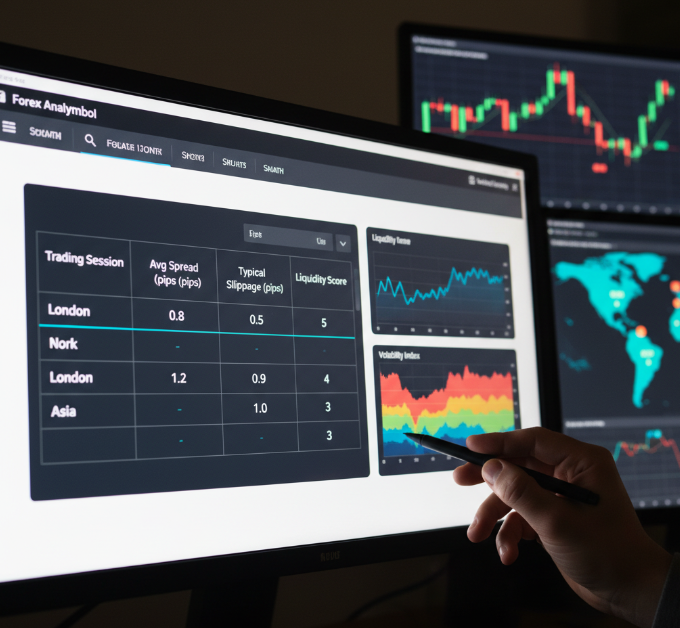
Market Data: Liquidity, Market Volatility and Slippage by Trading Session
Pull live market data for each trading session so the calculator “feels” real market liquidity.
Track volatility and typical slippage, or risk sugar-coating price movement.
Map bid-ask spread per symbol so pip math doesn’t lie.
| Trading session | Avg spread (pips) | Typical slippage (pips) | Liquidity score |
|---|---|---|---|
| London | 0.8 | 0.5 | 5 |
| New York | 1.0 | 0.7 | 4 |
| Asia | 1.4 | 1.1 | 3 |
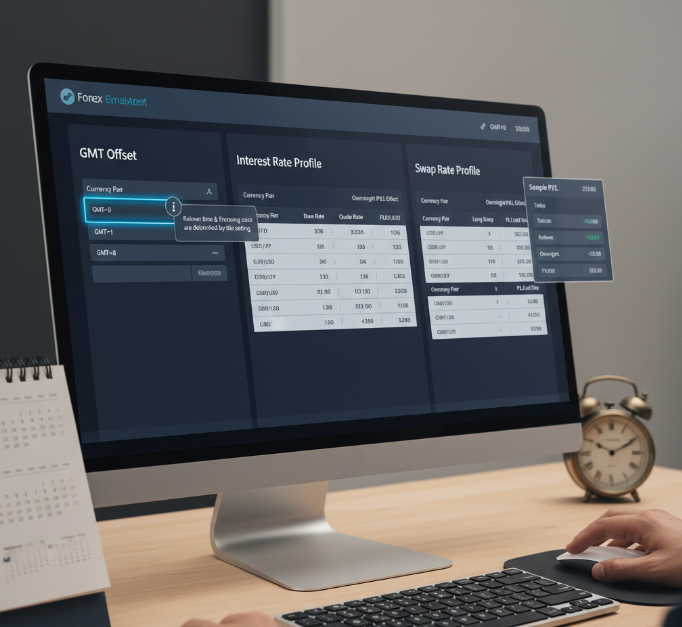
Account Settings: GMT Offset, Interest Rate and Swap Rate Profiles
Account settings quietly control a lot of pain or comfort for clients.
Your GMT offset decides when rollover hits and when financing cost appears, so time zone mistakes can blow up trust fast.
Consistent interest rate and swap rate profiles let the calculator explain overnight P&L cleanly, instead of leaving traders guessing why gains “shrunk” after midnight.
Instrument Setup: USD/JPY, AUD/USD, USD/CAD and USD/CHF in Currency Converter
Define each currency pair as a proper forex instrument with precise exchange rate rules.
Plug those rules into your currency converter so USD/JPY, AUD/USD, USD/CAD and USD/CHF never drift from platform pricing.
Good setup turns the calculator into a quiet workhorse: every instrument update flows through once, and every gain/loss screen stays aligned across mobile apps, partner portals and in-house dashboards.
Confused by Mixed Results? Debugging Your Forex Calculator Step by Step
Reconciling Bid Price, Ask Price and Spread Across Liquidity Providers
Quick checks help pinpoint price gaps fast.
Compare each bid price and ask price against every liquidity provider feed.
Line up timestamps before doing any price reconciliation.
If the spread is jumping around with no reason, pull raw market data logs.
“Price feeds don’t lie — the timestamps do.” — easycashbackfx senior engineer
Checking Margin Call, Free Margin and Equity in Margin Calculator
Confirm account balance matches the latest trading state.
Review how your use of margin affects margin level swings.
Check if the margin calculator pulls updated equity after open-trade changes.
Look for early margin call triggers caused by stale data feeds.
Matching Profit Calculator Output to Account Balance and Statement P&L
| Field Compared | Realized profit | Unrealized profit | Trade history source |
|---|---|---|---|
| Calculator Output | ✓ Matches? | ✓ Matches? | Calculator feed |
| Account Display | ✓ Matches? | ✓ Matches? | Platform UI |
| Statement P&L | ✓ Matches? | — | Back-office report |
Validating Scalping and Swing Trading Calculations Across Trading Sessions
Scalping reacts to micro-moves, so timing inside each trading session matters.
Swing trading relies more on timeframe analysis, so price windows must stay consistent.
Run calculation validation at session opens; spreads widen and affect profitability.
Compare strategy output during low-liquidity hours for a reality check.
Auditing Position Size, Volatility and Pivot Point Calculators
Start with a quick calculator audit for position size, making sure lot size aligns with contract rules.
Use ATR readings to confirm volatility calculations aren’t jumping from stale candles.
Regenerate pivot point levels and compare them with historical support/resistance.
Check that all tools pull the same price feed source.
Save outputs into a small log so the team can trace changes later.
A solid audit keeps users from feeling “these numbers are off” and helps your risk management stay trusted when markets get messy.
Conclusion
For many brokerages, calculating forex gain or loss still feels like guesswork, a kind of jugaad Excel setup held together by copy-paste. This article pulled the curtain back: you saw how pip value, lot size, margin rules and costs all connect, and how a well-designed forex calculator can give one clear number that matches your statements and keeps clients calm. Set up right, it turns raw price moves into P&L your dealers, risk team and support staff can all point to without arguments.
From here, your next steps are quite practical:
Audit your current calculators and sheets for mismatched spread, swap and contract size rules.
Map trade tickets, market feeds and account settings into one calculation flow.
Lock in clear risk rules for margin call, free margin and risk percentage.
Decide if a white-label API can cut support tickets and speed onboarding.
As Warren Buffett says, “Risk comes from not knowing what you are doing.” Get the math clean, and the story you tell clients becomes clean too. Put this playbook to work and turn P&L calls from daily fire-fighting into quick, confident conversations.
References
Babypips – What is a Lot in Forex? - https://www.babypips.com/learn/forex/lots-leverage-and-profit-and-loss
OANDA – How to Calculate Profit & Loss - https://www.oanda.com/us-en/trading/how-calculate-profit-loss/
Investopedia – Calculating Profits and Losses of Your Currency Trades - https://www.investopedia.com/articles/forex/12/calculating-profits-and-losses-of-forex-trades.asp
Myfxbook – EURUSD Pip Calculator - https://www.myfxbook.com/forex-calculators/pip-calculator/EURUSD
FXPrimus – Understanding Pips, Lots, & Leverage in Forex Trading - https://fxprimus.com/understanding-pips-lots-leverage-forex-trading/
FAQ
How can a forex calculator stay consistent across EUR/USD and GBP/USD quotes?
Consistency comes from discipline, not jugaad spreadsheets.
Keep one shared table for Base Currency and Quote Currency rules.
Standardize Pip Value and Contract Size for EUR/USD and GBP/USD.
Feed the same Bid Price and Ask Price into one central forex calculator engine.
What data must a brokerage capture before calculating forex gain or loss?
You need clean inputs: Entry Price, Stop Loss, Take Profit, Position Size, Lot Size, Exchange Rate, Swap Rate and Account Balance. Miss one piece, and the final P&L can confuse clients and support teams.
Why do profit calculator results differ from account statements sometimes?
Small gaps create big headaches.
Spread, Swap Rate or Commission may be missing in a basic Profit Calculator.
Different rounding of Pip Value or Quote Currency conversion changes totals.
Slippage during Intraday Trading shifts the final close price.
How do pip value and lot size affect risk for large clients?
Higher Lot Size and Pip Value mean each tick hits harder. A fast move in EUR/USD can eat into Equity, increase Margin Requirement and push accounts closer to Margin Call if Position Size is too aggressive.
How should a forex calculator handle spread, swap, and commission?
Costs must be visible, not hidden.
Use Bid Price and Ask Price to calculate Spread impact in cash terms.
Apply Swap Rate by Trading Session and currency pair.
Add Commission per Lot Size so Account Balance matches statement P&L.
Can a margin calculator reduce margin call issues for clients?
A Margin Calculator checks Margin Requirement against Equity and Free Margin before trade approval. With clear Risk Percentage and Stop Loss settings, many Margin Call surprises can be avoided.
What role do market volatility and liquidity play in gain or loss?
Markets have moods.
High Market Volatility widens Spread and increases Slippage.
Low Liquidity during thin Trading Sessions can swing GBP/JPY quickly.
A Volatility Calculator helps set safer Stop Loss and Take Profit levels.
How do position size calculator tools help with Risk Percentage policies?
A Position Size Calculator converts Risk Percentage and Account Balance into exact trade size using Contract Size and Lot Increment rules. That keeps exposure steady across EUR/USD or USD/JPY without emotional overtrading.
How can a white-label forex calculator integrate with existing trading platforms?
Integration should feel clean, not patched.
Send Entry Price, Stop Loss and Position Size into Pip Calculator and Profit Calculator modules via API.
Stream Exchange Rate, Bid Price and Ask Price from your data hub.
Return outputs to Margin Calculator and reporting so Equity and Account Balance stay aligned.
How should brokerages test calculator accuracy for scalping and swing trading?
Run sample trades in EUR/USD and GBP/JPY for Scalping and Swing Trading. Compare Pip Value, Spread and final P&L with live statements to catch gaps before clients do.

